.webp)




.svg)


Key Takeaways (TL;DR)
MaxIQ shipped nine updates in September and October, mostly to Rooms and EchoIQ.
- Rooms: Every deal now has a shared mutual action plan that both teams can track.
- EchoIQ: You decide when calls get recorded, who can see them, and who gets the recap.
- ForecastIQ: See who has submitted their forecast, and keep numbers complete when people or teams change.
- Ask MaxIQ: Admins can customize home screens, rename the assistant, and add company branding.
Between September 8 and October 22, we shipped nine MaxIQ updates. Most of that work went into two parts of the product: Rooms, where sellers and buyers work through a deal together, and EchoIQ, which records and summarizes customer calls.
Forecasting, Pipeline, and Ask MaxIQ picked up useful changes too. Here's what's new in MaxIQ from these two months, and what each change means for your team day to day.
1. Work Deals Together with Buyers in Rooms
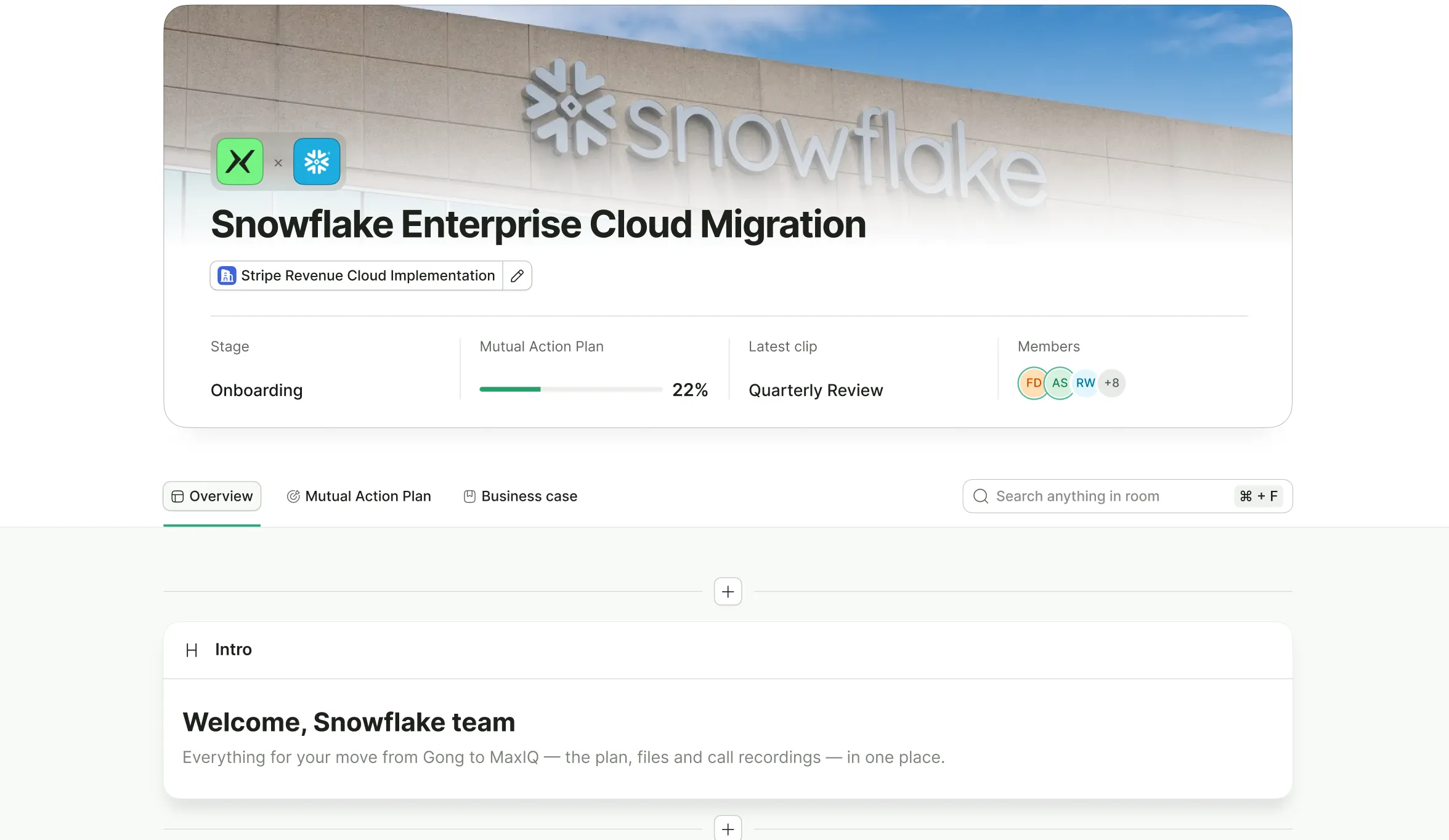
A Room is a shared page for one deal. Your team and the buyer's team see the same call clips, files, notes, and tasks there, so no one has to dig through old email threads to find them.
The biggest addition is a mutual action plan in every Room. That's the list of steps both sides agree to take before a deal gets signed, such as a security review or legal sign-off.
With Rooms, teams can now:
- Follow a mutual action plan in every Room, split into stages, with a percentage that shows how far along the deal is.
- See how each deal's plan is progressing from the Room list, without opening every Room.
- Keep a contact list of everyone involved, sorted into your team and the buyer's team.
- Edit and rearrange tasks right in the list, and group related tasks with a progress bar for each group.
- View and update key deal details without leaving the Room.
- Let teammates ask to join a Room, with the owner approving requests in one place.
- Give buyers more to do in the Room, like downloading files, adding and editing notes and tasks, commenting, and more.
Both teams work from the same plan, which makes it much easier to keep a deal moving between calls.
2. More Control Over Call Recordings in EchoIQ
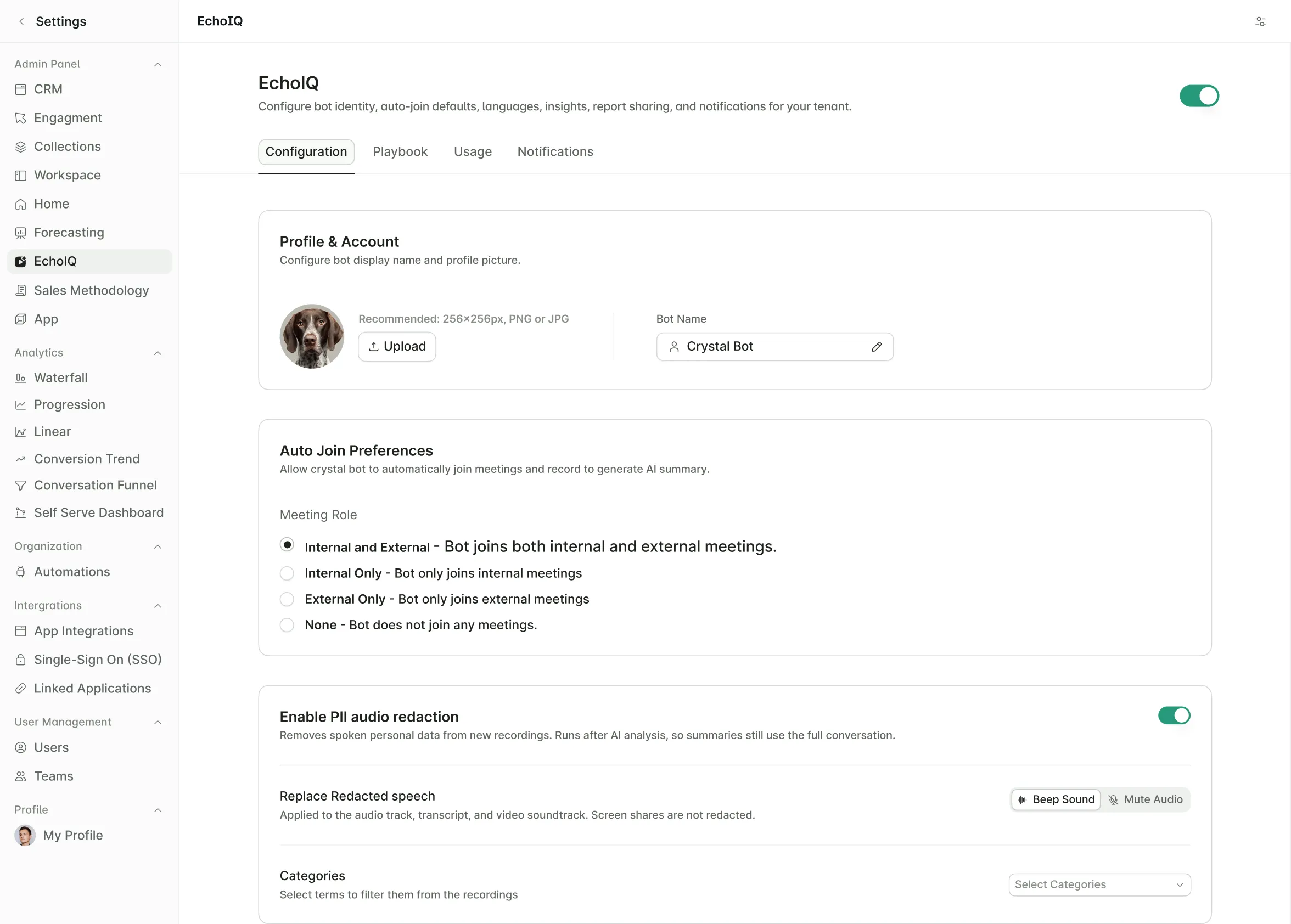
EchoIQ joins your customer calls, records them, and writes up the summary and next steps afterward. These updates give your company more say over when a call gets recorded and who can see it once it's done.
With EchoIQ, teams can now:
- Ask everyone on a call for permission by email before the meeting. If anyone says no, the call isn't recorded.
- Choose whether a recording is visible only to the person who owns it or to everyone at your company.
- Decide who gets the follow-up email after a meeting, and whether it includes the summary and action items.
- Turn EchoIQ on or off for specific people instead of the whole company.
- Set a company-wide default for whether EchoIQ joins meetings on its own.
- Remove EchoIQ bot from a meeting that's already in progress.
- Share a short clip from a call with a password-protected link.
Admins set these rules once, and EchoIQ follows them on every call after that.
3. Keep Forecasts on Track in ForecastIQ
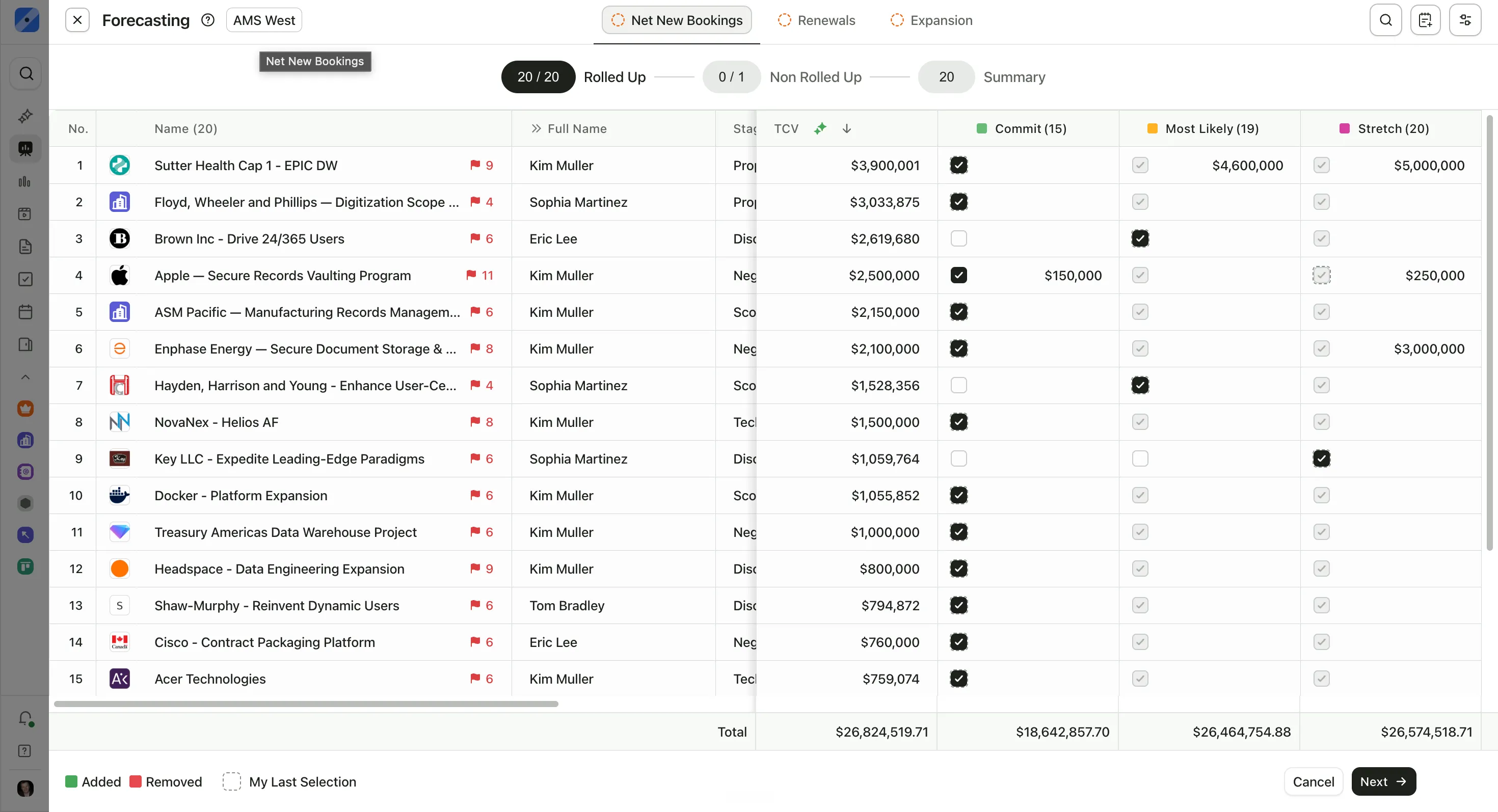
Every week, reps and managers submit a forecast call, which is the amount they expect to close. ForecastIQ now makes it easier to see who has submitted and keeps the numbers complete when someone leaves or the org chart changes.
With ForecastIQ, teams can now:
- See at a glance which reps and managers have submitted this week's forecast and which haven't.
- Compare this week's forecast with last week's to see what moved.
- Keep a forecast complete when a manager's seat is empty by letting the next manager up cover it.
- Hide a level of the org chart from the forecast without losing any deals below it.
- Have the yearly forecast add up the four quarters automatically.
Managers spend less time chasing missing numbers before the weekly forecast meeting.
4. Make MaxIQ Feel Like Your Own
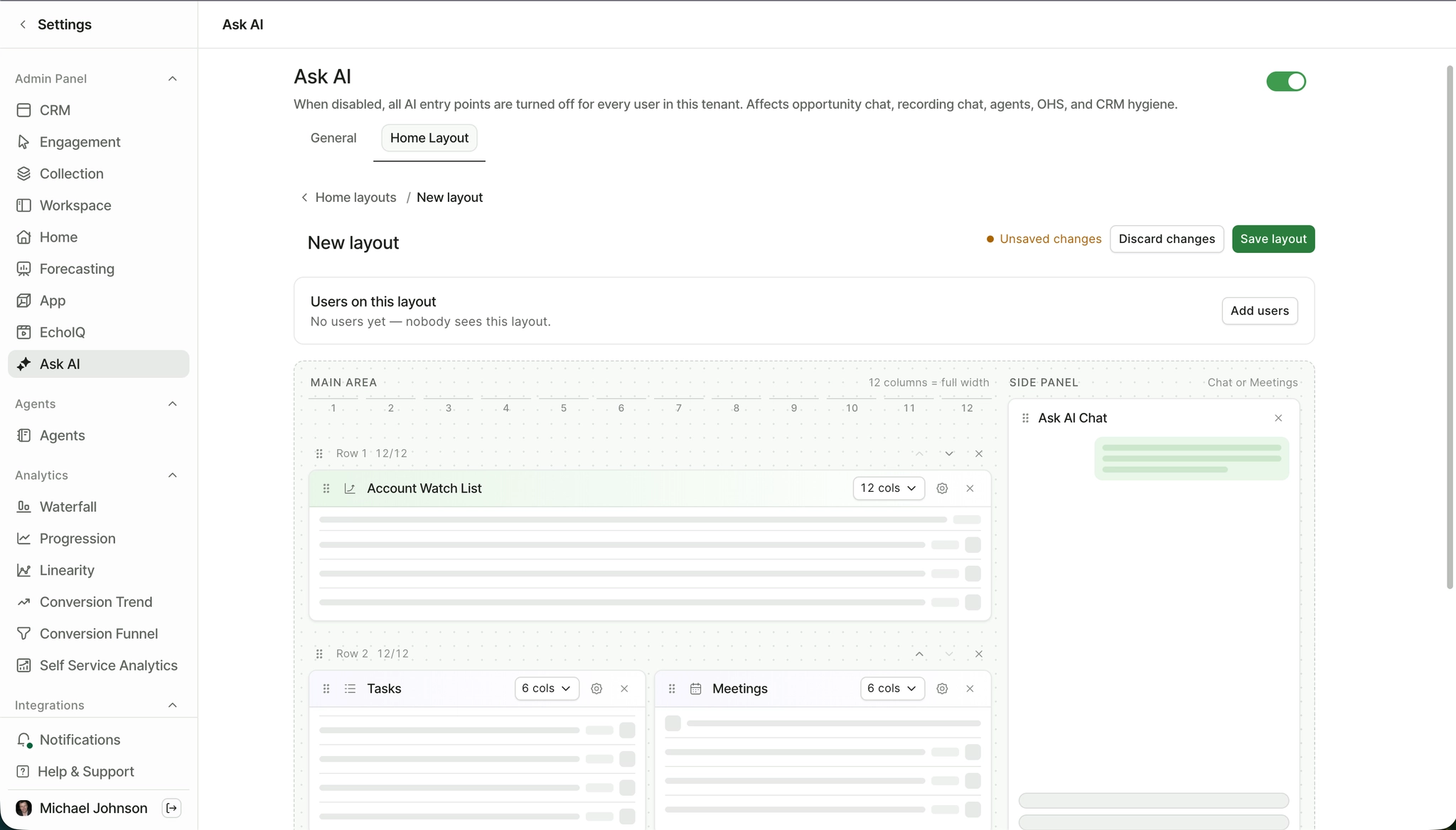
Ask MaxIQ is the AI assistant inside MaxIQ. You ask it questions about your deals, meetings, and accounts in plain language, and it answers from your own data. This round of updates lets admins shape what people see when they open it, and how MaxIQ looks across the company.
Admins can now:
- Build different Ask MaxIQ home screens for different people, with sections for agents, meetings, and tasks.
- Give the assistant a new name, and have that name show up everywhere in the app.
- Add your company's logo, name, and brand color to the workspace.
- Choose whether Slack notifications are short or detailed, channel by channel.
People see what's most useful to them as soon as they open MaxIQ.
See Every Update
These are the biggest changes from September and October. We ship updates almost every week, and you'll find the full list, including smaller fixes, on the MaxIQ changelog.
If you'd like to see Rooms or the new recording controls in action, book a demo.
Every capability walked through one by one, with screenshots from real calls.
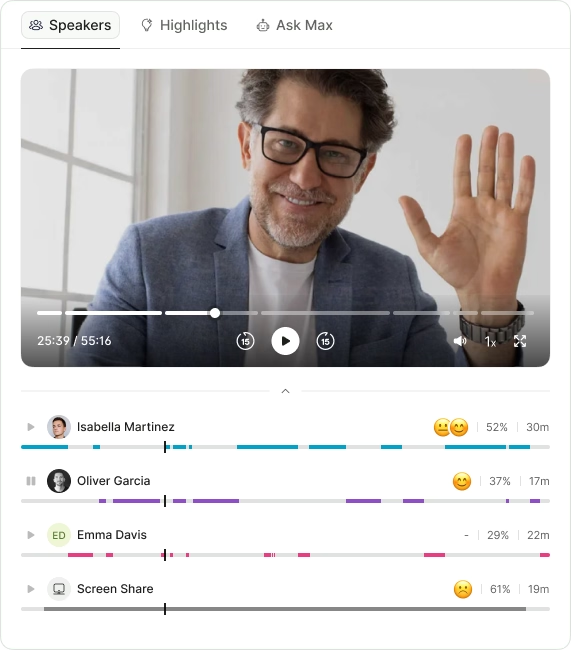
- Call summaries
- Sentiment analysis
- Next steps
- Search any call in seconds
.avif)