.webp)




.svg)

Key Takeaways (TL;DR)
MaxIQ Conversation Intelligence now connects every call to the deal, forecast, account, and customer history.
- Call analytics, buying signals, red flags, sentiment, and engagement
- Team stats, playbooks, battlecards, and coaching
- Ask AI across one call or the full conversation library
- Rooms for sharing clips, tasks, and milestones with buyers
- Google Meet capture through the Chrome extension, plus Zoom and Teams bot recording
- PII redaction, custom summaries, Salesforce sync, and usage-based pricing
Today we're publishing a complete overview of MaxIQ Conversation Intelligence. Since launching EchoIQ in November 2025, we've shipped call analytics, team-level stats, a coaching system, external deal rooms, PII redaction, and a browser extension for Google Meet. This post covers each capability, with examples drawn from real calls in our own instance.
MaxIQ Conversation Intelligence runs on the same context graph as the rest of the platform. A conversation is not stored as a standalone transcript. It is connected to the deal, the account, the forecast, and the customer's history, and the analytics below operate on that basis.
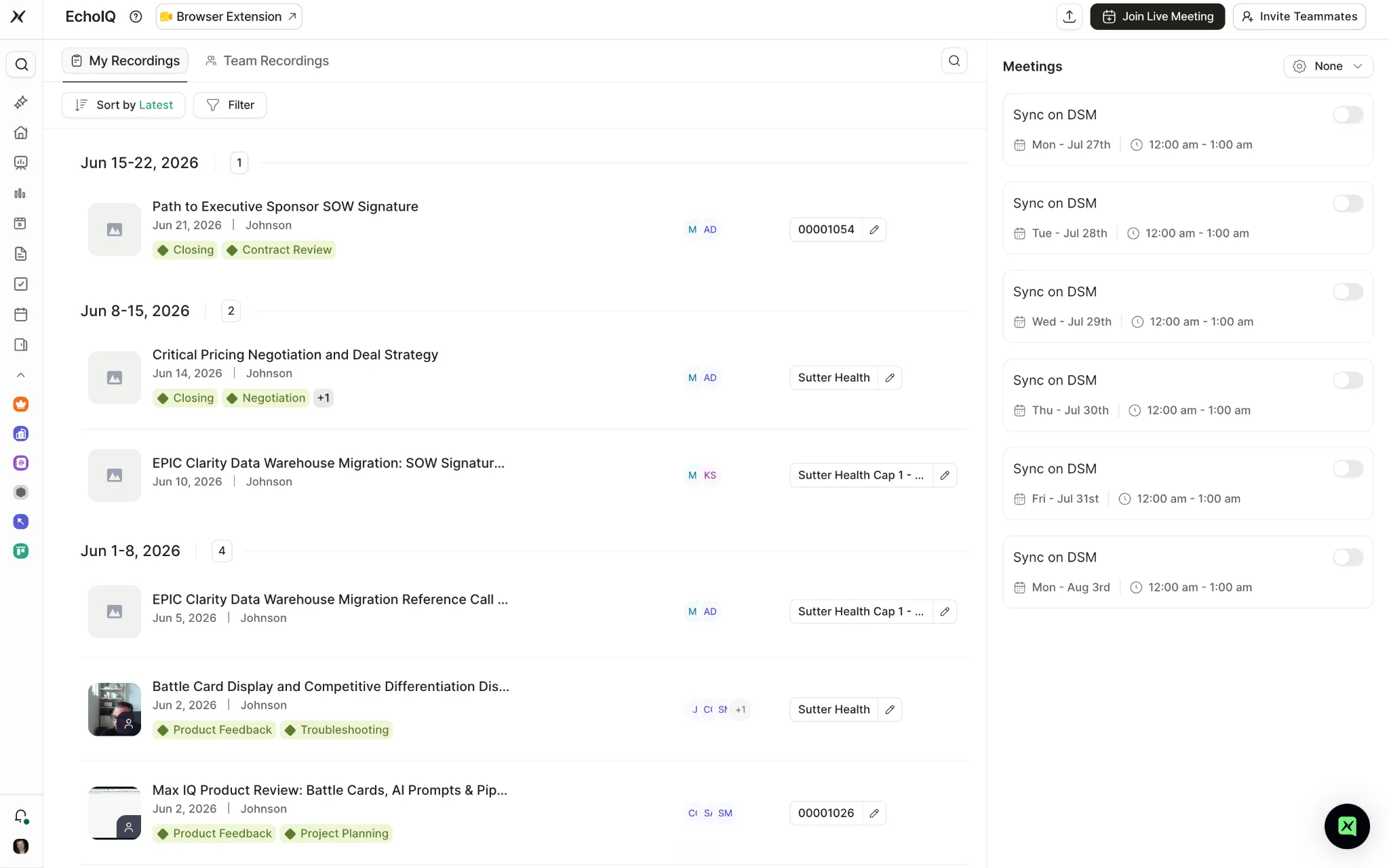
The Recordings workspace. Calls are grouped by week, tagged automatically, and linked to opportunity records.
1. Call Insights
Every recorded call gets an Insights tab that measures the conversation itself: who spoke, for how long, what was asked, and how the energy moved.
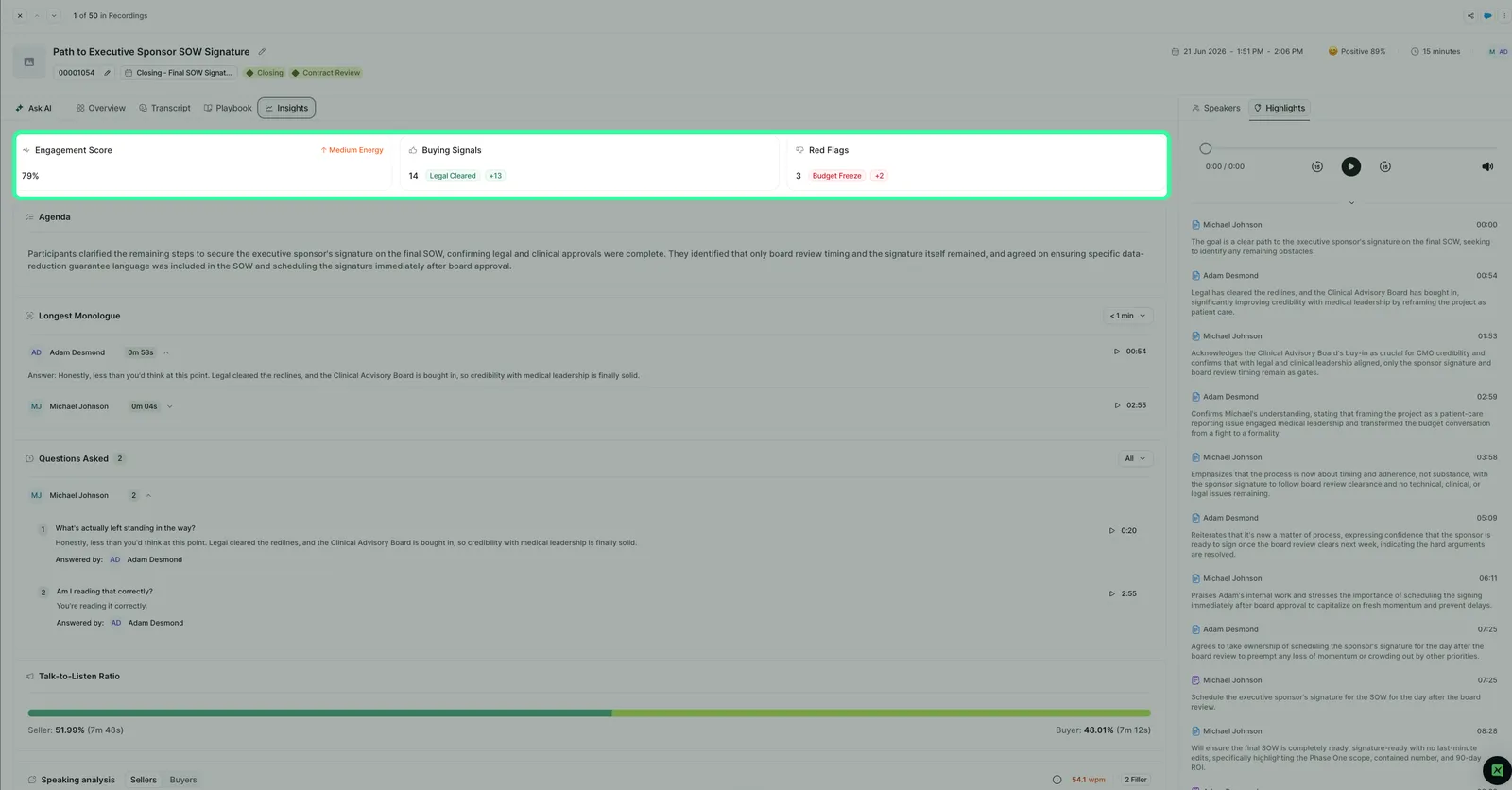
The Insights header on a 15-minute closing call: 79% engagement, 14 buying signals, 3 red flags.
Talk-to-Listen Ratio
A split bar shows how much of the call the seller spoke versus the buyer, in percentage and absolute time. On the call above, the seller spoke 51.99% of the time (7m 48s) and the buyer 48.01% (7m 12s).
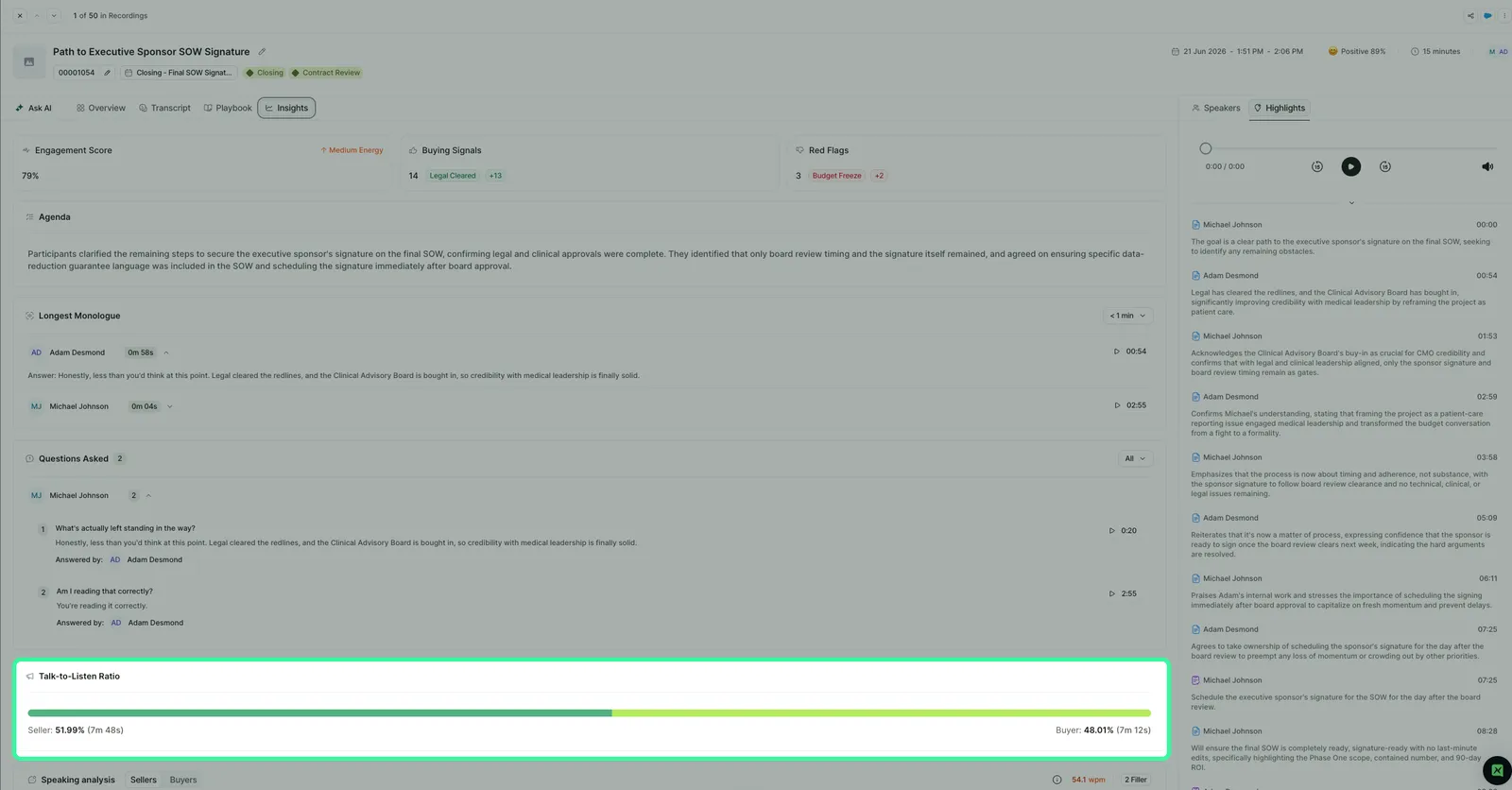
Seller and buyer share of the conversation, with the time behind each number.
Longest Monologue
Extended stretches of uninterrupted talking are captured per speaker, with duration, timestamp, a play button, and the quote itself. A threshold filter surfaces only the stretches worth reviewing.
Questions Asked
Each question detected on the call is grouped by asker and paired with the answer that was given and who gave it. A manager reviewing discovery quality can read the exchange and jump to the moment without scrubbing audio.
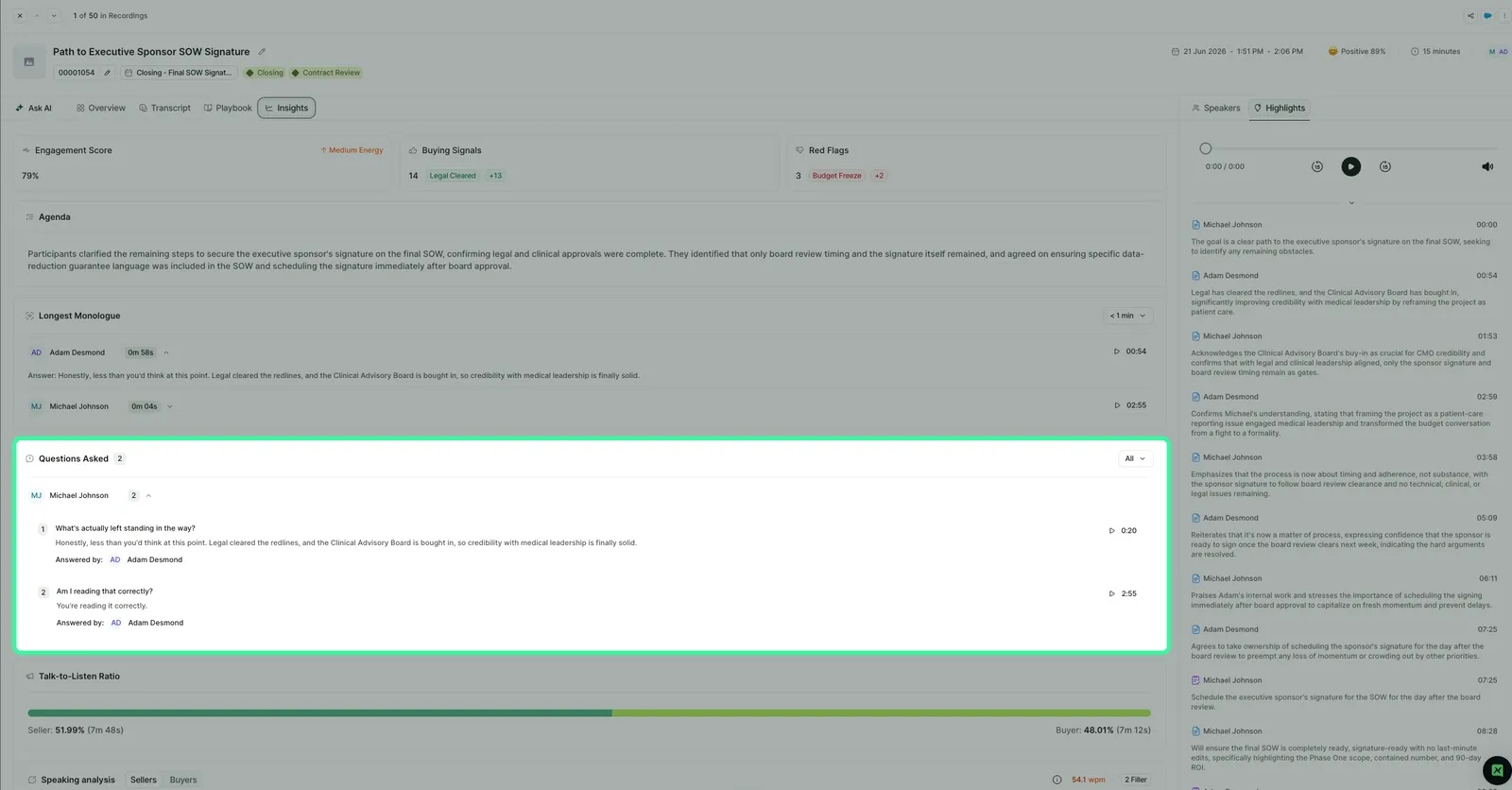
Questions on the call, each with its answer and attribution.
Speaking analysis
Words per minute and filler word count, toggled between sellers and buyers. The call above shows 54.1 wpm and 2 filler words on the seller side.
Sentiment and engagement
Sentiment is scored for the call and for each speaker, and shown in the recording header. Engagement is scored as a percentage with an energy read.
2. Buying signals and red flags
Two counters sit at the top of every Insights tab. Buying Signals counts positive momentum in the conversation and tags each instance. Red Flags does the same for risk. The example call surfaced 14 signals, the first tagged Legal Cleared, and 3 flags, the first tagged Budget Freeze.
Because these signals live inside the revenue data model, they attach to the deal rather than to a transcript file. A budget flag on a call is visible in the context of that opportunity's stage, close date, and health score.
3. Stats: team behaviour, side by side
Stats is a separate page that answers pattern questions rather than single-call questions. It scopes from an individual up to Global, over a selectable period.
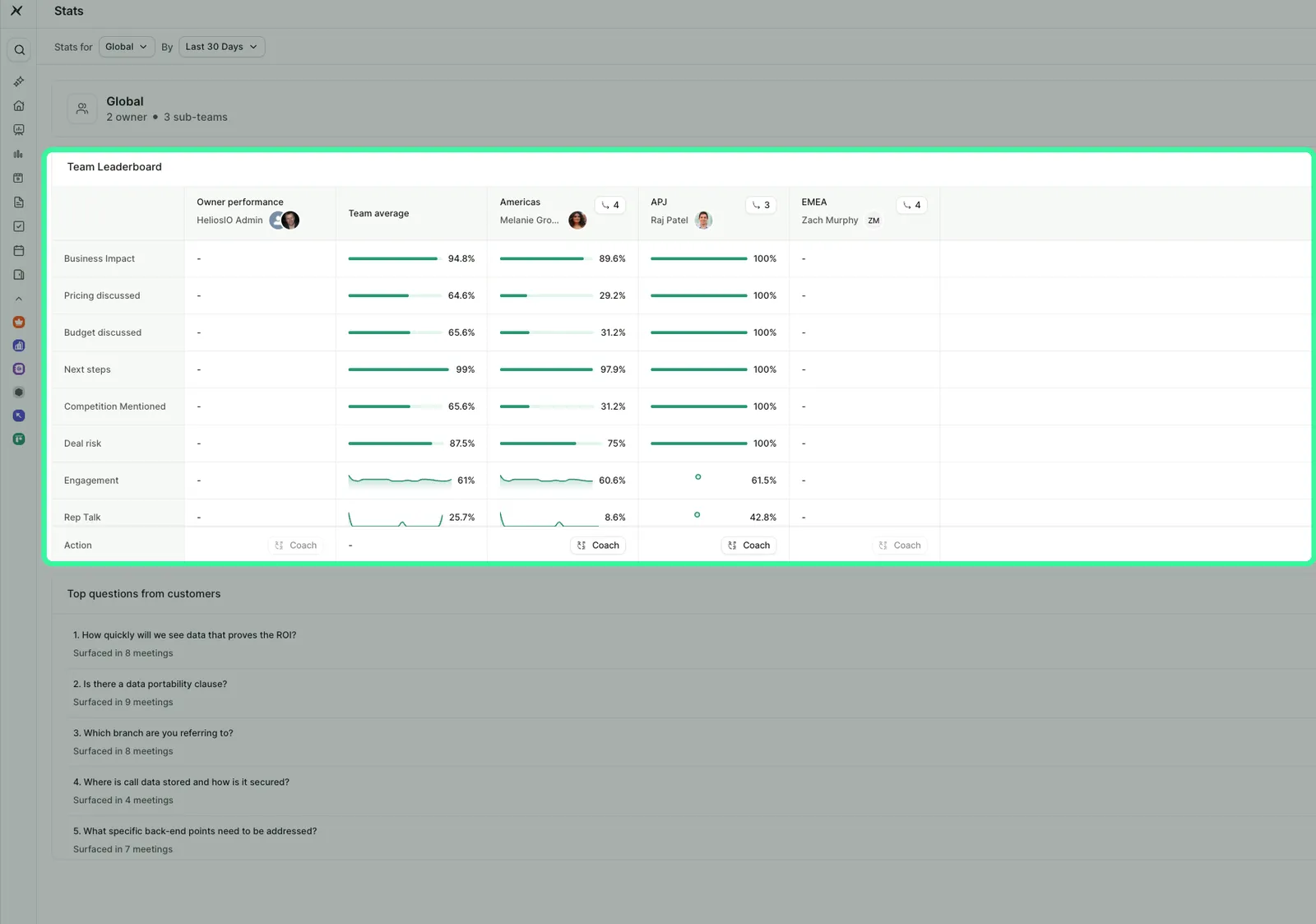
The Team Leaderboard, comparing Americas, APJ, and EMEA across eight call behaviours.
The leaderboard tracks eight behaviours across every team: Business Impact, Pricing discussed, Budget discussed, Next steps, Competition Mentioned, Deal risk, Engagement, and Rep Talk. Engagement and talk metrics carry trend sparklines. Each team column ends in a Coach action, so the observation and the intervention live on the same screen. In the instance above, APJ discusses pricing on 100% of calls while Americas sits at 29.2%.
4. Top customer questions, with a battlecard loop
Below the leaderboard, Stats ranks the questions buyers actually asked across all recorded meetings, by frequency. In the example data, “Is there a data portability clause?” surfaced in 9 meetings and “How quickly will we see data that proves the ROI?” in 8.
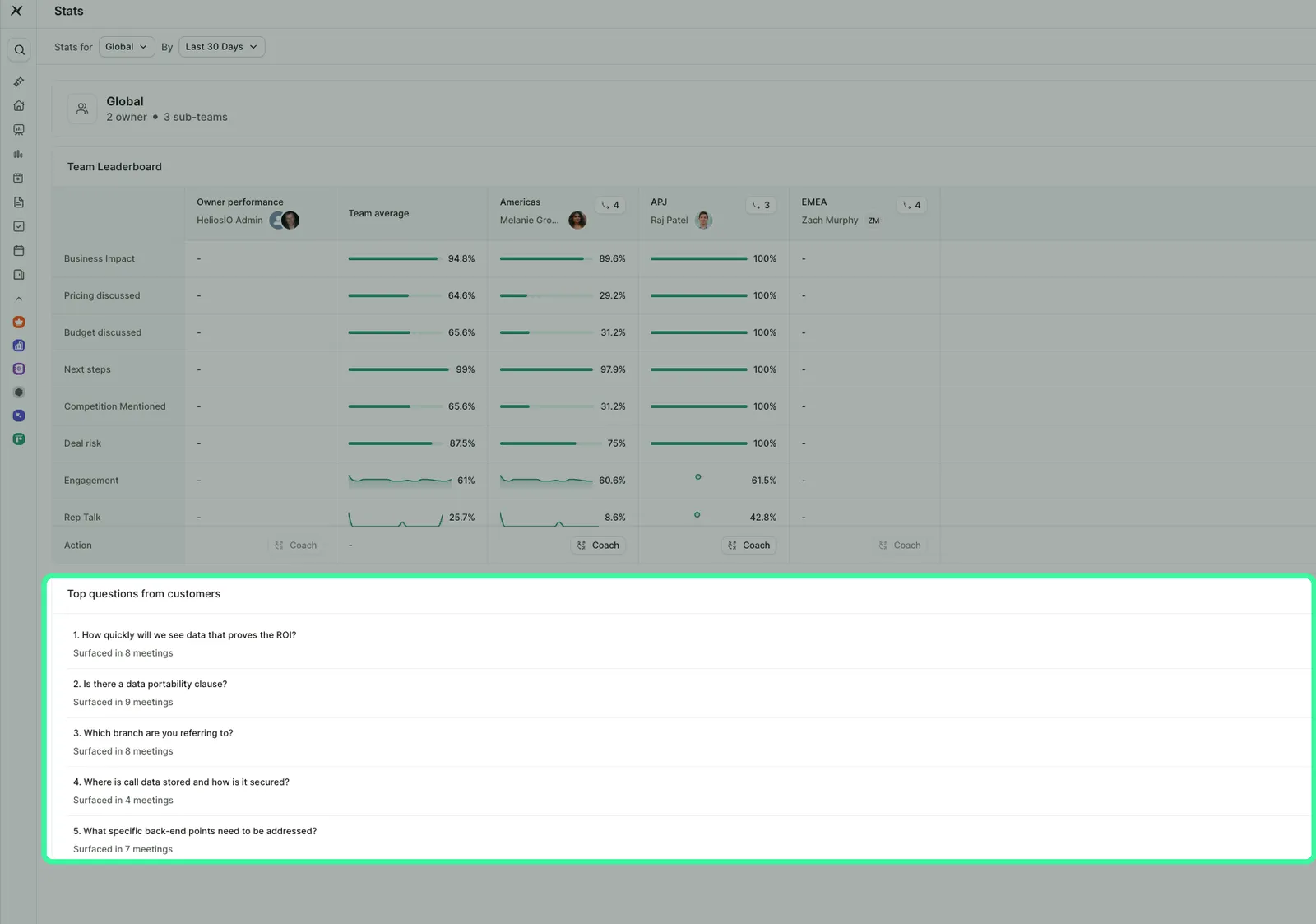
Buyer questions ranked by frequency. Each row links to an existing battlecard or creates a new one.
Each question carries one of two actions. If a battlecard already answers it, Check Battlecards. If nothing does, Create Battlecard. The gap between what buyers ask and what enablement has prepared is visible on one screen, and closing it takes one click.
5. Coaching: playbooks, battlecards, and a call library
The Coaching module has three parts.
Battlecards are question-shaped answer cards, built from real calls. Each carries topic tags, links to the recordings it came from, and feedback counts so teams can rate whether a card holds up.
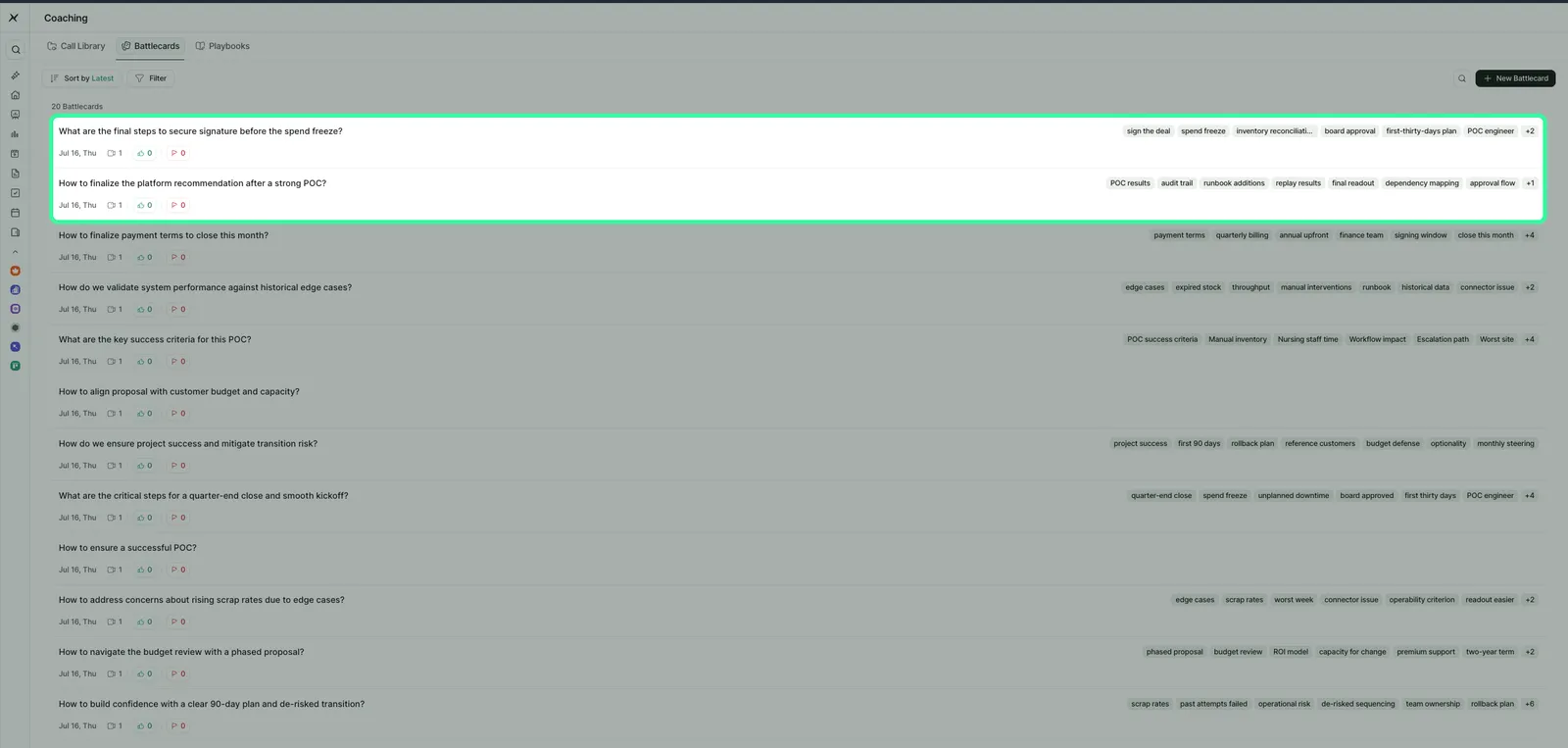
Battlecards, each titled with the customer question it answers and tagged by topic.
Playbooks are structured question sets that define what a good call covers. Five ship in the example instance, including The 5-Layer Discovery Playbook with 10 questions and The Commitment & Close Playbook with 8. Every recording includes a Playbook tab that evaluates the call against these, and teams can build their own.
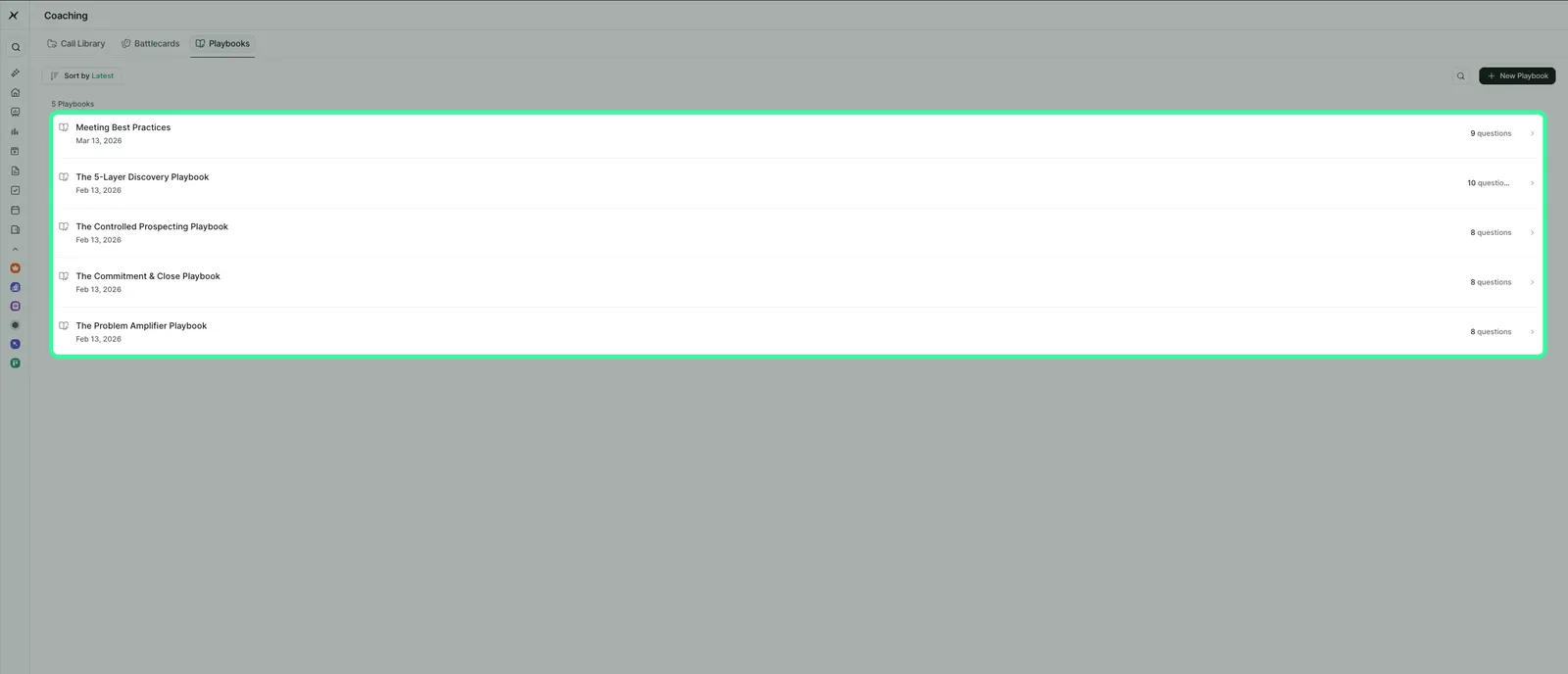
Playbooks with their question counts. Calls are evaluated against the selected playbook.
The Call Library holds curated collections of exemplar calls, such as Good Discovery Calls and Good Pricing discussion calls, so new reps learn from conversations that worked.
6. Ask AI on every recording
Every recording includes an Ask AI tab: a chat grounded in that call. Common uses include assessing customer interest and tone, pulling what the customer cared about, and drafting the follow-up email. Saved Prompts keep recurring questions one click away, History retains prior answers, and a model selector shows which model is responding. Voice input is supported.
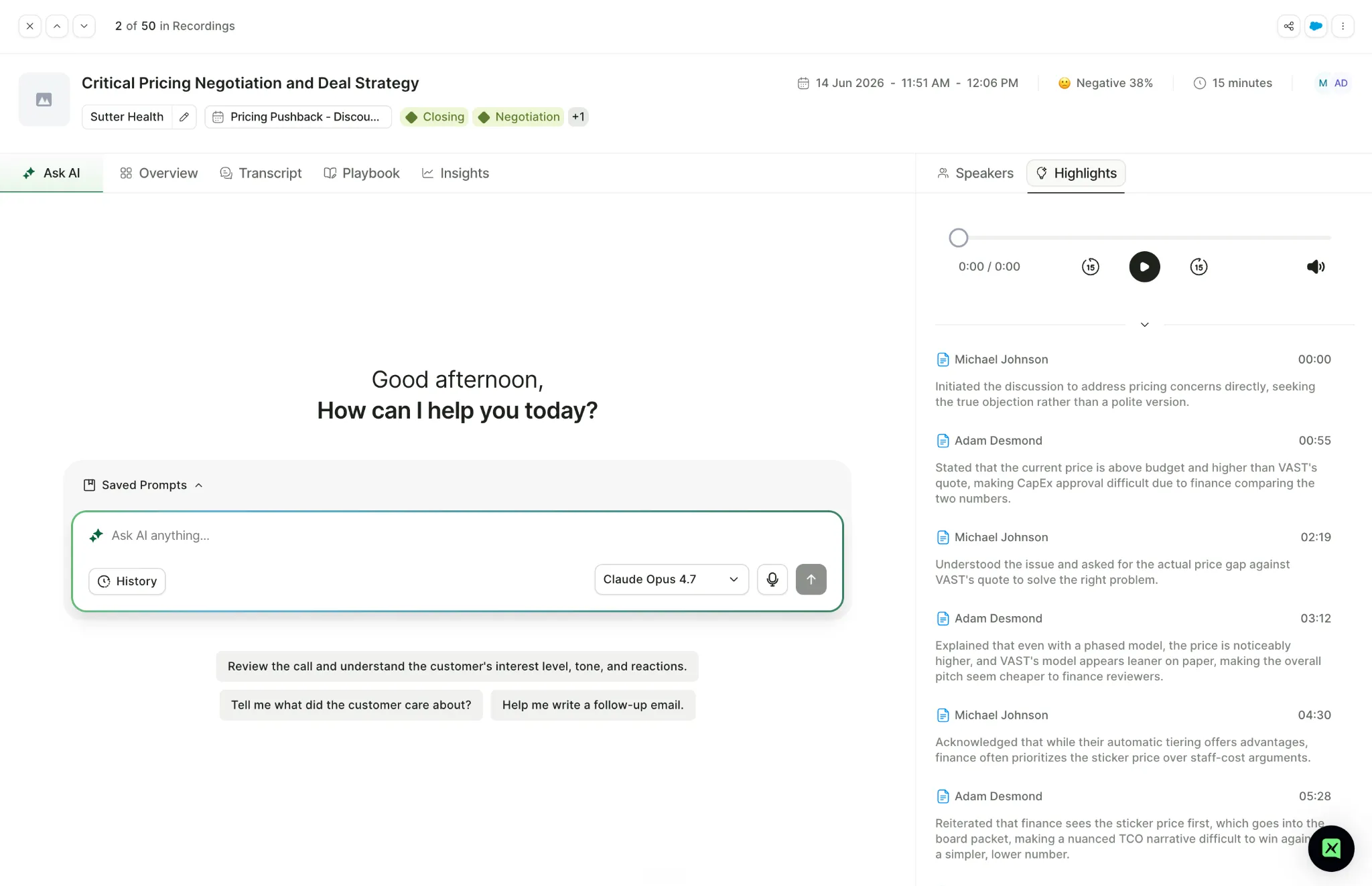
Ask AI on a recording, with saved prompts, history, and model selection.
Search extends beyond a single call. A question asked across the whole conversation corpus, such as pulling every quote about why customers switched from a competitor, returns an answer assembled from many calls, connected to the right deals and accounts.
7. Rooms: sharing calls outside your company
Rooms shipped in April 2026 and has had six releases since. A Room shares clips from recordings with people outside your MaxIQ instance, including the buyer's side, alongside tasks, notes, files, rich text, and a timeline of milestones.
External users are invited by email, receive notifications when mentioned, and see only what is shared with them. Tasks can be marked internal-only, so a team's working list stays invisible to the customer in the same Room. Room Templates standardise the structure, and a built-in Insights tab tracks task progress, completion rates, and overdue items.
In practice, a Room works as a digital sales room and mutual action plan with the actual call moments embedded in it. the clip of a champion's commitment sits next to the task list for reaching signature.
8. Google Meet, through the browser extension
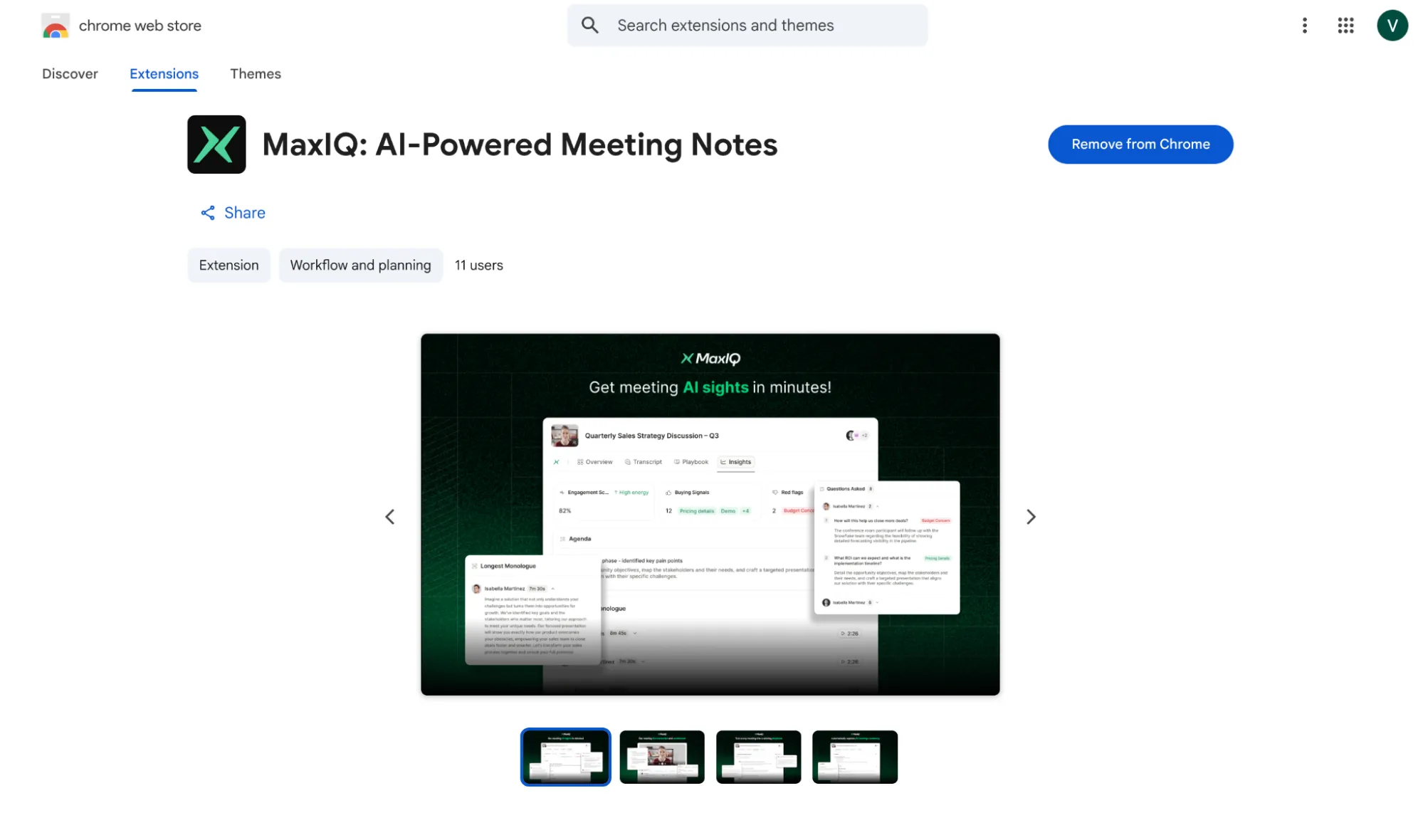
MaxIQ captures meetings two ways. The meeting bot joins as a visible participant, follows tenant-level auto-join rules, and covers Zoom and Microsoft Teams. The MaxIQ Chrome extension records the Google Meet tab directly, with no bot in the room. It runs only when the user starts it, and only on their own meetings. Recordings, transcripts, AI meeting notes, and insights sync into the MaxIQ account either way.
Here is the chrome extension link: MaxIQ: AI-Powered Meeting Notes
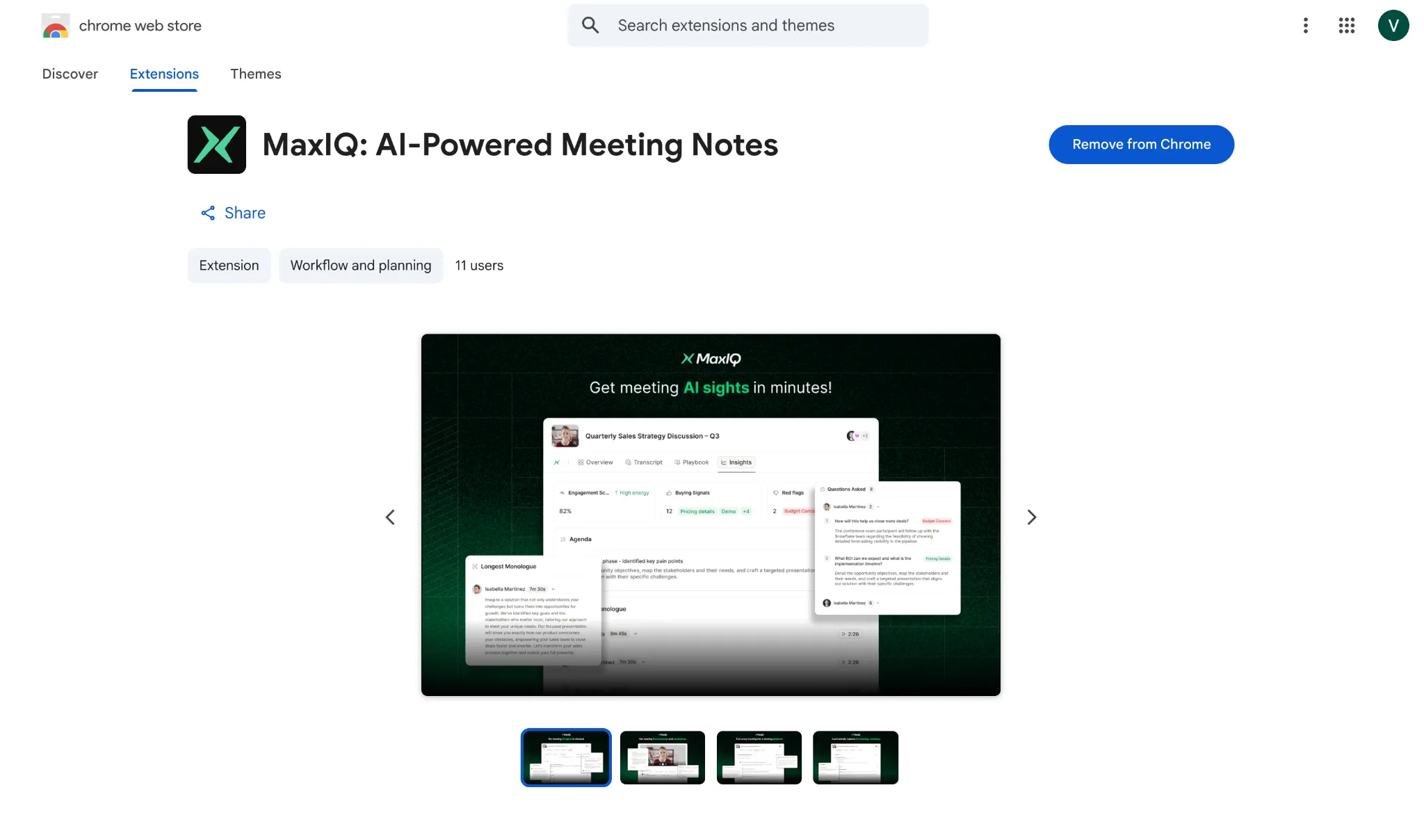
MaxIQ: AI-Powered Meeting Notes on the Chrome Web Store.
9. PII redaction that keeps the summary intact
Recorded calls contain personal data, which is a storage problem for teams in healthcare, finance, and Europe. PII redaction, shipped in July 2026, removes spoken personal data from recordings with one design decision worth noting: redaction runs after AI analysis. Summaries, action items, and insights are generated from the full conversation, and the stored audio, transcript, and video soundtrack are then redacted.
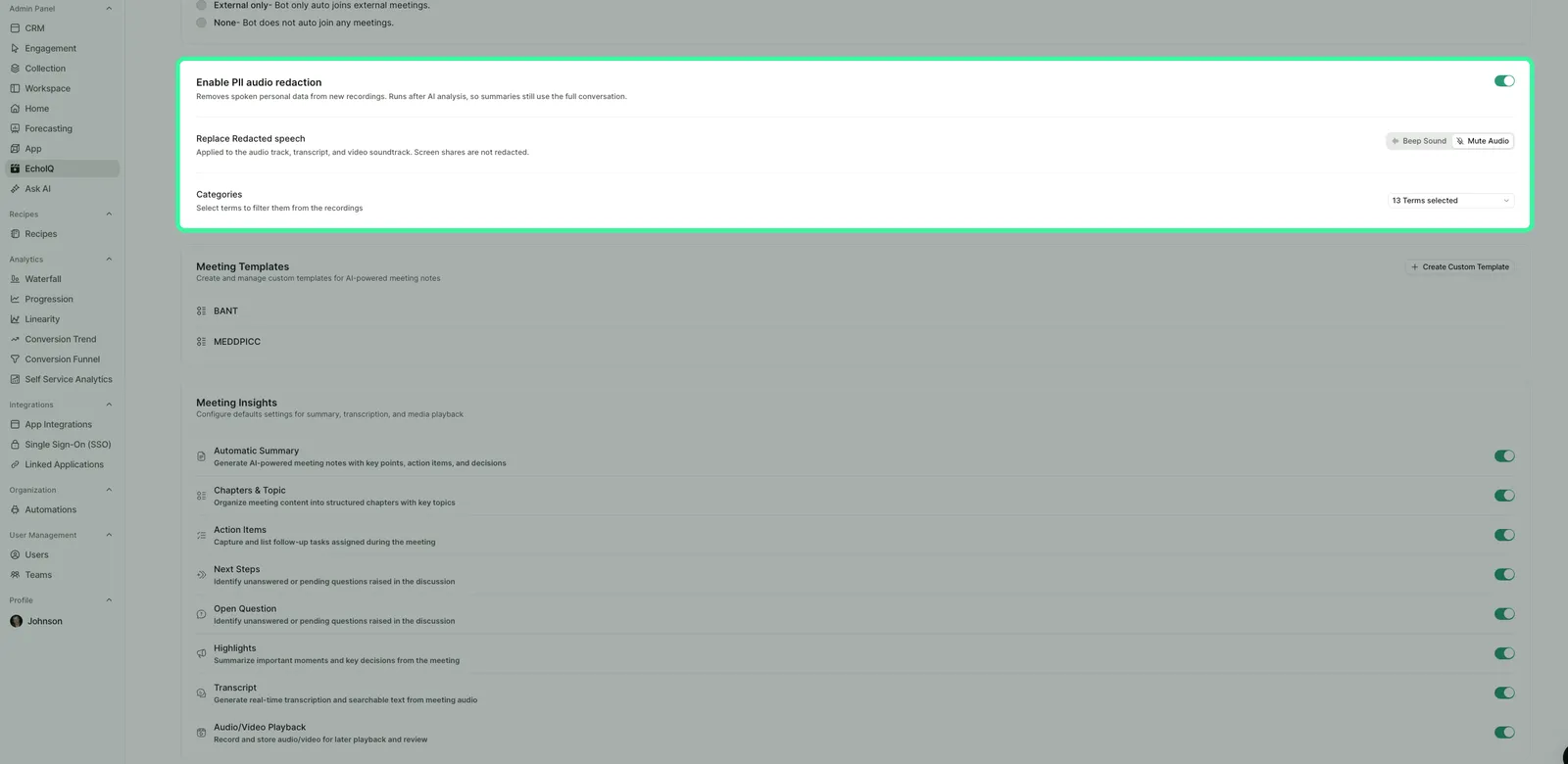
PII redaction settings: beep or mute replacement, with configurable categories.
Admins choose the replacement, a beep or muted audio, and select which categories of personal data to redact. Screen shares are not redacted.
Also shipped
Meeting summary templates including BANT and MEDDPICC, plus custom templates. Automatic call labelling by topic, such as Closing, Discovery, and Contract Review, alongside user-created labels. A per-meeting record toggle on the upcoming calendar. Team Recordings with scope filters for managers. Salesforce sync controls for notes, emails, and engagement activity, with rich-text support.
Pricing
MaxIQ Conversation Intelligence uses usage-based pricing, not per-seat pricing. Customers pay for conversations captured, and the admin panel shows exactly what that means: total minutes consumed, total recordings, and a consumption trend over any selected period.
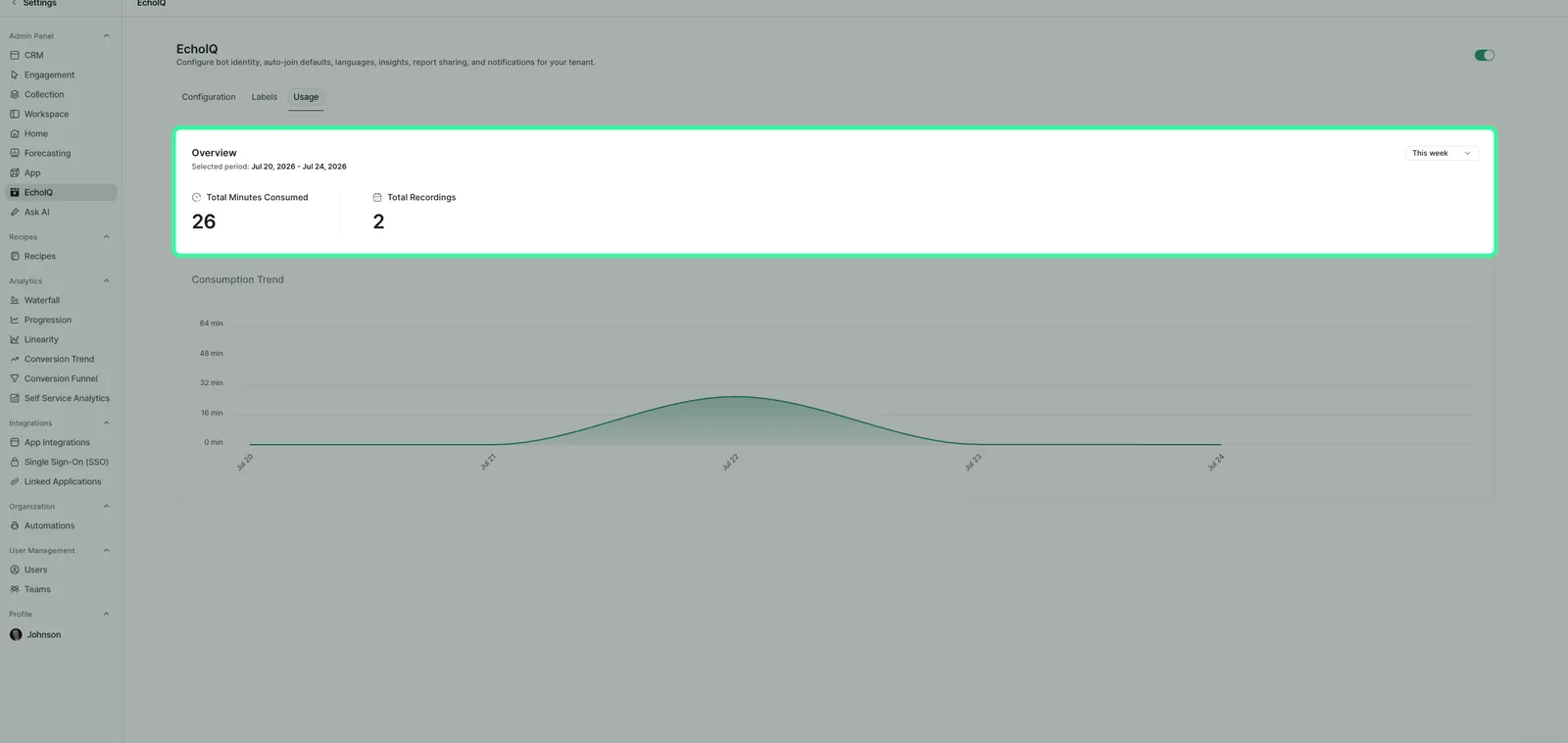
The Usage view: what the tenant is metered on, visible to the admin.
Current limits
The meeting bot covers Zoom and Microsoft Teams; Google Meet requires the extension, which is manual-start and currently supports English. Team-level Stats become more reliable as call volume grows, so small teams should read the leaderboard directionally. Some features shown are in active development.
Keep up with what’s new
MaxIQ Conversation Intelligence is evolving quickly, with new capabilities and improvements shipping across recording, analytics, coaching, Rooms, integrations, and privacy controls.
Visit the MaxIQ changelog to see the latest releases, product improvements, and fixes as they go live.
Every capability walked through one by one, with screenshots from real calls.
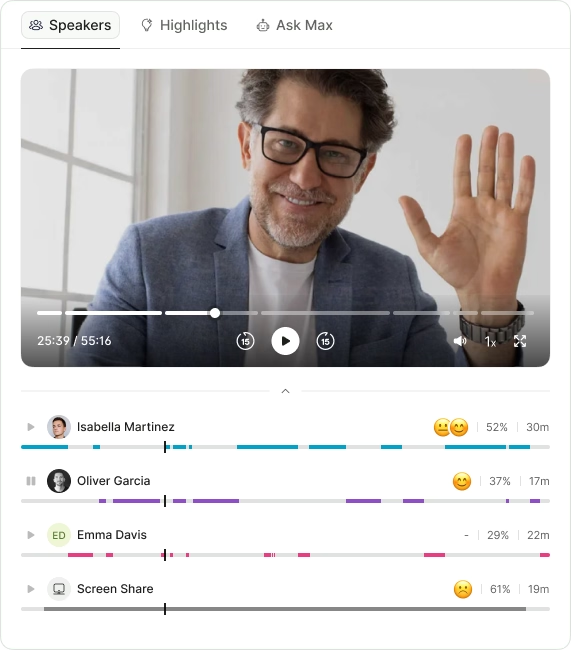
- Call summaries
- Sentiment analysis
- Next steps
- Search any call in seconds
.avif)