.webp)




.svg)

Key Takeaways (TL;DR)
Revenue teams miss forecasts not because the data was wrong, but because nobody asked the right question. Ask Maximus sits in your sidebar, pulls from the MaxIQ Context Graph (calls, emails, notes, field edits, forecasts), and both answers questions and flags what you missed.
Five uses:
- Priority accounts up front auto-generated cards instead of a blank search bar.
- Cross-call analysis query every transcript at once, with links back to the clips.
- Instant dashboards describe a view, get a live visual off real-time Salesforce data.
- Meeting prep full account brief plus daily prep summaries by email.
- Recipes save or schedule recurring prompts to run on their own.
Revenue teams rarely miss because the data was wrong. They miss because nobody asked the question that would have surfaced.
It is a pattern we see all the time. A key deal goes quiet for two weeks, but Salesforce still looks healthy because fields were updated right before a team review. A champion's email address starts bouncing, but that alert stays buried in Outlook while the deal remains in the forecast. Or a prospect mentions a major budget block 30 minutes into a recorded call, yet the deal stays marked as "committed" for weeks. One infrastructure company missed their quarterly goal by 18% because of small gaps just like these even though all the clues were sitting right there in their software.
That is exactly why we built Ask Maximus. Powered by the MaxIQ Context Graph, it brings every call, email, note, field edit, and forecast together into one connected picture. Accessible right from your sidebar, Ask Maximus does two helpful things: it answers your direct questions, and it proactively points out important details you might have missed.
Here are five practical ways revenue teams use Ask Maximus every day to stay on track.
1. Spot priority accounts before you even start searching
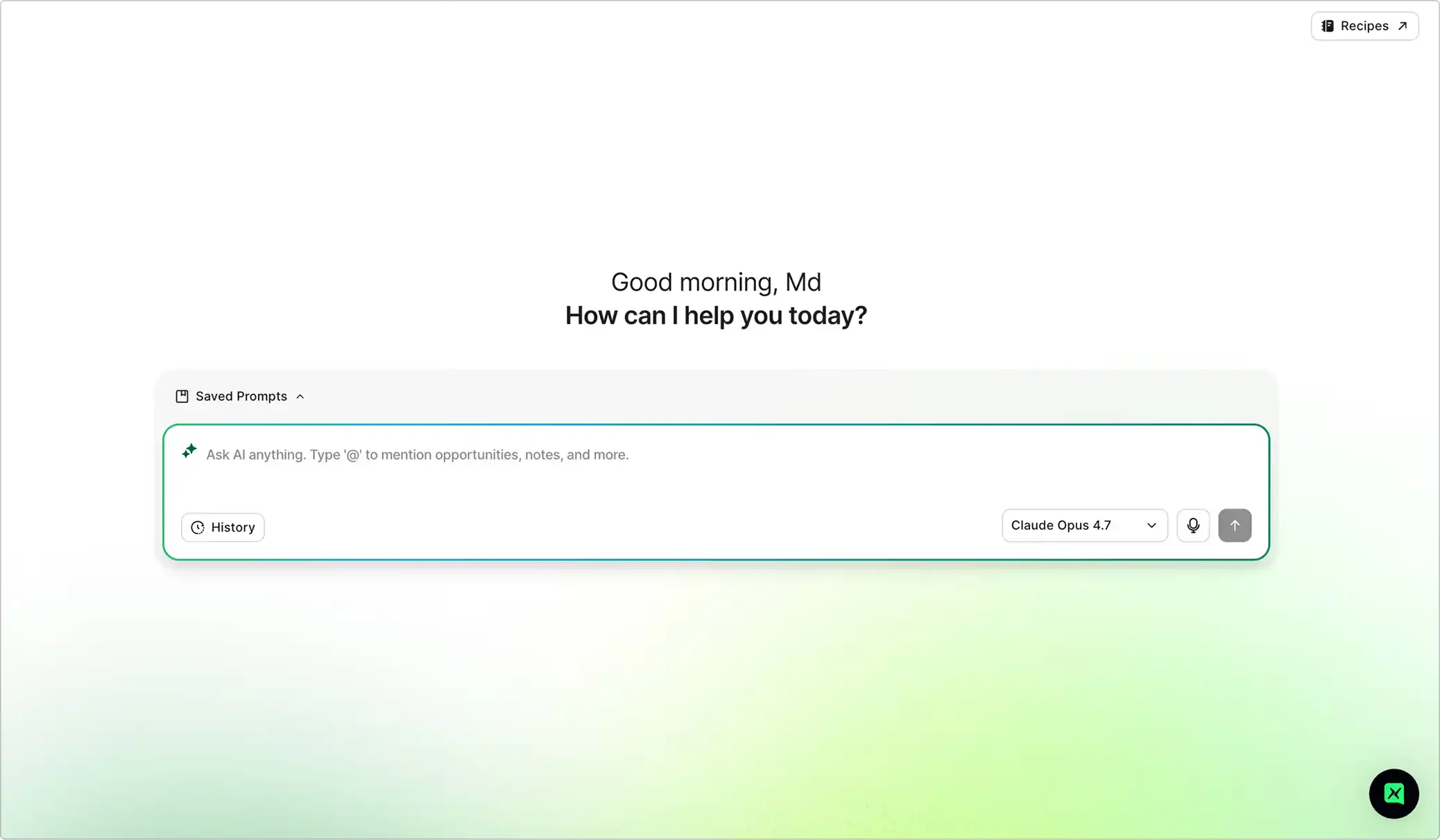
When you open Ask Maximus, you are not greeted by a blank search bar. Instead, you instantly see ready-to-use summary cards generated automatically: unworked accounts by industry, promising cold accounts, untouched target prospects, and high-value opportunities with clear revenue potential attached.
Each card answers a key question your team would usually have to figure out manually on Monday morning. Just click a card to view the full list along with clear context on why it matters.
You can easily follow up with specific questions like:
- "Which cold accounts in our top industries had a conversation in the last 90 days?"
- "Show me our untouched target accounts, sorted by revenue opportunity."
- "Who owns these ready-to-prospect accounts, and when was the last touchpoint?"
Instead of spending time digging through spreadsheets, your team can dive straight into high-value outreach.
2. Get clear insights across all your customer conversations
Because EchoIQ records and transcribes every customer meeting, Ask Maximus can analyze all your calls at once. Research that used to take hours of reviewing recordings can now be done with a single prompt.
You can ask questions such as:
- "How often were competitors mentioned in our calls this quarter, and which ones came up most?"
- "Review all recent call transcripts for this account and list any concerns raised by the client."
- "Summarize the main takeaways from this week's meetings regarding pricing."
Every answer includes direct links to the relevant call clips, allowing managers to easily verify details and coach their teams using complete, accurate information from every interaction.
3. Create custom dashboards instantly without technical help
Ask Maximus goes beyond basic text responses by building live visual dashboards on demand. Simply describe the view you need like a pipeline update or target market overview and it generates a clean visual using real-time data.
It also syncs directly with your Salesforce setup, including custom fields. That means reps can get instant information right in chat without opening a support ticket.
Try asking for things like:
- "Build a visual target customer dashboard based on our successful closed deals."
- "Create a prospecting board for the East region grouped by industry."
- "Show me our new pipeline generation by lead source for the past two quarters."
You can also use the @ symbol to focus your query on a specific deal, note, or account. Whenever you need a quick custom view, you can generate it in seconds.
4. Prepare for meetings with complete account context
Before stepping into a meeting, Ask Maximus gives you a complete brief: deal history, key contacts, recent discussions, pending action items, and potential risk factors identified by InspectIQ. It pulls from every conversation on record so handoffs stay seamless and buyers never have to repeat themselves.
You can also receive automated daily meeting prep summaries in your inbox before your morning begins.
Useful prompts include:
- "What next steps did we promise on our last call with this account?"
- "Which key decision-makers have not responded since our product demo?"
- "Suggest three tailored questions for the CFO based on their previous comments about budget."
Rather than spending 15 minutes checking multiple tabs before every call, all the essential context is organized for you in one place. Check out our meeting prep guide for a detailed walkthrough.
5. Turn your weekly questions into automated Recipes
If you find yourself asking the same questions every week during team reviews or forecasting, Recipes can save you time. Simply save a prompt or workflow once to reuse it whenever you need updated information, or schedule it to run automatically every day.
The standard cards on your home screen are examples of Recipes running in the background. Managers can set up custom Recipes for their team, such as a weekly deal activity check, a daily list of inactive deals, or a weekly competitor overview.
With Saved Prompts and Search History easily accessible, turning a quick query into a recurring report is simple and seamless.
Keep your sales pipeline truly honest
Remember that infrastructure company mentioned earlier? After adopting Ask Maximus, they hit their sales forecasts accurately for two consecutive quarters. Their Chief Revenue Officer shared that the tool did not just help his team work faster it helped them keep their entire pipeline clear and honest.
That is the core value of Ask Maximus. It goes beyond summarizing what is already recorded in your CRM by surfacing the key details and insights you need to know ahead of time.
Book a demo today to see how Ask Maximus can support your sales pipeline.
Every capability walked through one by one, with screenshots from real calls.
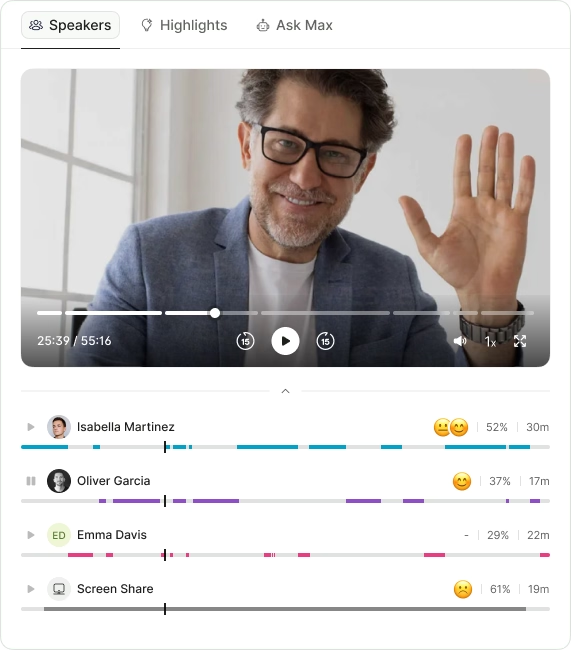
- Call summaries
- Sentiment analysis
- Next steps
- Search any call in seconds
.avif)