.webp)




.svg)

.webp)
Ask MaxIQ from inside Claude
Claude is already where a lot of the work happens. Writing the follow-up, prepping for the QBR, thinking through a deal that has gone quiet. Pipeline questions show up in the middle of all of it.
What is my commit this quarter? Which deals slipped since last week? What did the buyer push back on during the Acme call? Which renewals are at risk?
You can now ask those without leaving the thread. The MaxIQ connector brings your forecast, your pipeline, your call insights, and your Salesforce records into the conversation.
Connect MaxIQ MCP to get started.
{{mcp}}
What you can ask
If you carry a number
- Pull up your open deals by stage, amount, or close date
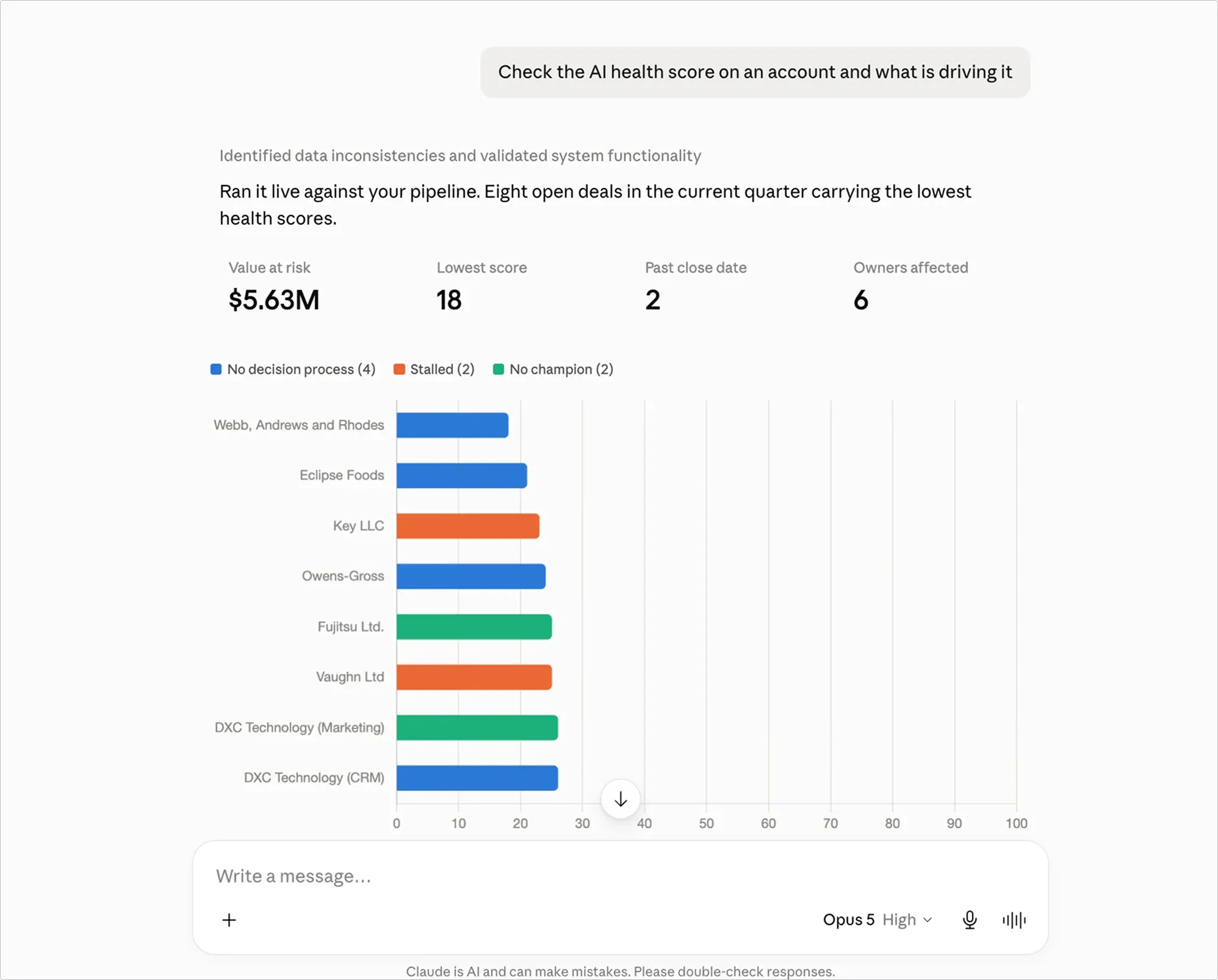
- Check the AI health score on an account and what is driving it
- Get the summary and action items from a call you were on
- See which of your deals moved stage or slipped in the last 90 days
- Update a Salesforce record, log a note, or create a follow-up task
- Draft the recap and send it to Slack or email
If you own the number
- Read your forecast rollup: commit, submitted calls, quota attainment, week over week movement
- Drill into the deals sitting behind any rollup number
- Compare reps and territories on pipeline coverage and win rate
- Filter pipeline by stage, owner, region, or close date
- Track slippage and stage movement over time
- Check engagement across accounts: meetings, emails, notes, tasks
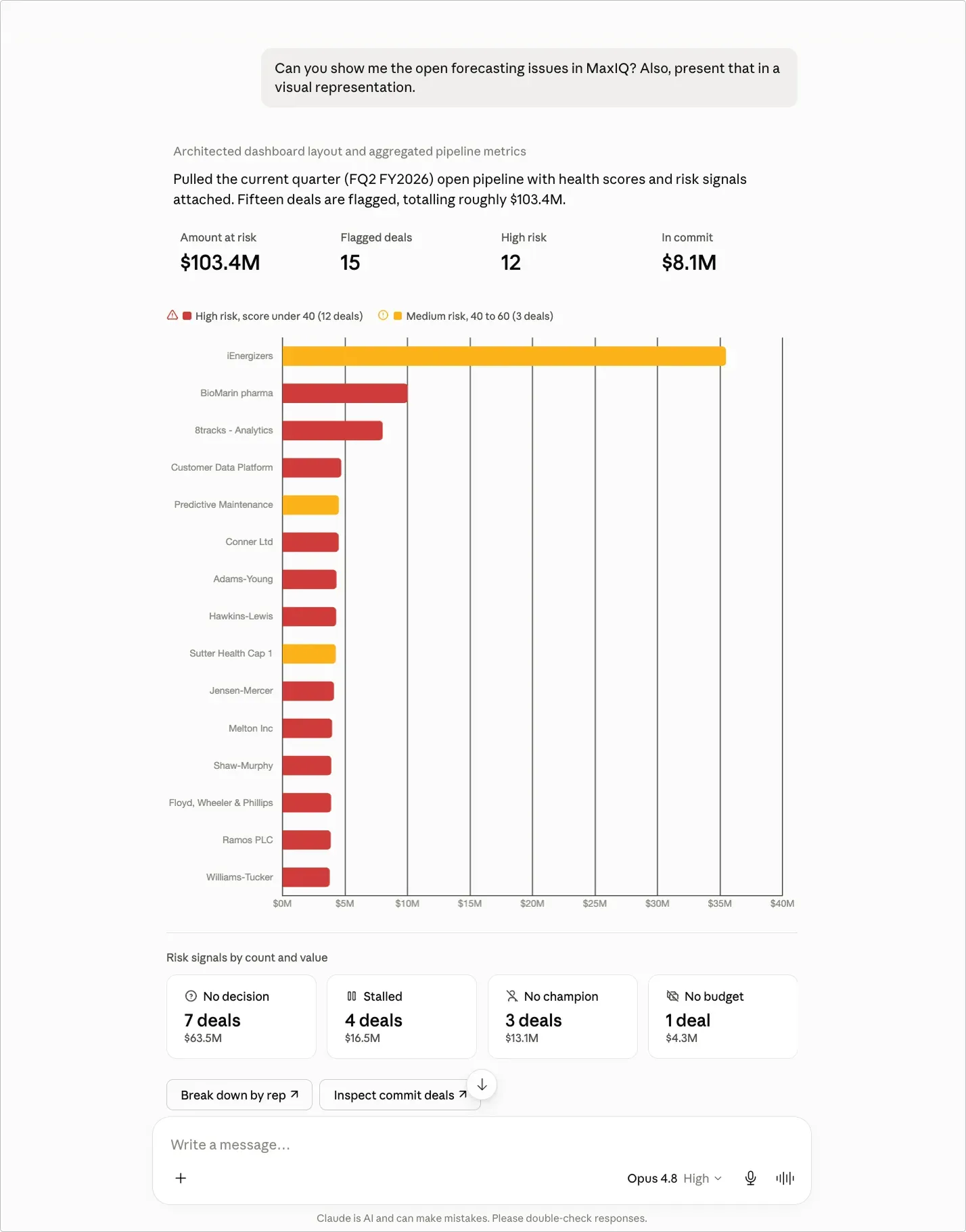
Answers come back as dashboards
Ask for the quarter's pipeline by stage and Claude will build the chart instead of printing a table. It decides when a visual helps, and you can also ask for one directly.
Here are some examples:
Why the numbers hold up
Forecast questions route to the same engine behind your forecast page, with your category definitions, manager adjustments, and currency conversion already applied. Claude is not recalculating anything on the side. Pipeline analytics run against the MaxIQ warehouse, which sits natively on Snowflake next to the rest of your revenue data. Snowflake runs MaxIQ and has seen forecast accuracy improve by more than 25%.
Your permissions come with you
Everything is scoped to the account you sign in with. You see what you would see inside MaxIQ, and nothing beyond it. Write actions go through the same Salesforce permissions you already have, so the connector cannot create or change a record you could not have changed yourself.
Try MaxIQ MCP
The MaxIQ connector is available in Claude now. Connect your account, ask one question about your quarter, and get back to what you were doing.
{{mcp}}
Every capability walked through one by one, with screenshots from real calls.
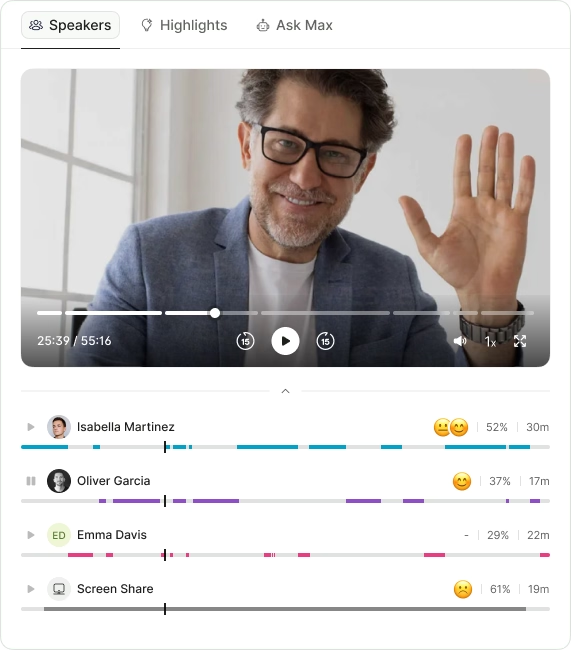
- Call summaries
- Sentiment analysis
- Next steps
- Search any call in seconds
.avif)