.webp)




.svg)


Key Takeaways (TL;DR)
Sales pipeline visibility helps managers understand whether buyer activity supports what is recorded in the CRM. It makes it easier to find weak deals before they slip.
- Watch for changing close dates, missing decision-makers, vague next steps and declining buyer engagement.
- Use these warning signs to focus pipeline reviews and decide what needs attention.
- Track buyer activity across calls, emails and meetings instead of relying only on CRM fields.
- Use AI to surface possible risks, while managers make the final forecast and coaching decisions.
A pipeline can look healthy in Salesforce and still be full of deals that are going nowhere. Stage, value and close date tell you what has been entered. They do not tell you whether the buyer is still responding, the right people are involved or the next step is real.
Sales pipeline visibility means being able to see that difference early. A manager should be able to open a deal and understand what changed, what the buyer has agreed to do next and whether the activity supports its current stage.
The goal is not another dashboard. It is to catch weak deals while there is still time to do something about them. The signals below can be used during a pipeline review or as part of a more structured deal inspection checklist.
What effective sales pipeline visibility includes
A useful pipeline view should tell a manager more than the deal value, stage and expected close date. It should show whether the buyer’s actions support what is recorded in the CRM.
For each deal, you should be able to see:
- Why the buyer is moving: Is there a real business problem, available budget and a reason to act now?
- Whether the deal has momentum: Are both sides completing agreed next steps, or is the rep doing all the chasing?
- Who is involved: Is the deal connected to the decision-maker and other stakeholders, or dependent on one champion?
- What still needs to happen: Are security, legal, procurement and approval steps understood?
- Whether the forecast is credible: Does the evidence support the current forecast category, or is it based mainly on the rep’s confidence?
The gaps usually appear when these signals live in different places. Salesforce may show a late-stage opportunity while recent emails, calls and meetings show that the deal has stopped moving.
{{free-resources}}
Why most pipeline reporting misses deal risk
CRM reports are built around fields such as stage, close date, deal value and forecast category. Those fields are useful, but they often describe what the rep expects not what the buyer is actually doing.
The first signs of trouble usually appear somewhere else. A meeting gets pushed back, an important stakeholder stops replying or procurement has not joined when it should have. Unless someone checks the calls, emails and activity history, the CRM can continue showing a healthy deal.
Look for contradictions such as:
- The buyer says they want to sign, but procurement has not started.
- The deal is marked late stage, but only one stakeholder is involved.
- The close date keeps moving without a buyer-confirmed reason.
- The rep has a next step, but the buyer has not committed to anything.
These gaps are often visible before the stage or forecast category changes. AI forecast risk detection can help surface them earlier, but the manager still needs to decide what they mean for the deal.
7 early warning signs of an at-risk deal
Most deals don’t suddenly collapse. They slow down first.
A meeting moves to next week. A buyer takes longer to reply. A close date changes, then changes again. None of these things looks serious on its own, which is why weak deals can stay in the forecast for so long.
During a pipeline review, these are the seven signs worth checking.
1. The close date keeps moving
Close dates change. That is normal. The problem is a date that moves several times without a clear event behind it.
If the reason changes from budget approval to security review and then to “the buyer needs more time,” the team may not understand the buying process as well as it thinks.
Find out what must happen before the deal can close and whether the buyer has agreed to the new date. If neither is clear, the date is probably an estimate rather than a commitment.
2. One contact is carrying the whole deal
A strong champion helps, but a late-stage deal needs more than one supportive contact.
Who owns the budget? Who signs the agreement? Who will use the product? Could security, finance or procurement stop the purchase?
If the rep cannot answer those questions, the deal is still exposed. A champion can become busy, lose influence or leave the company. When that happens, a single-threaded opportunity often goes quiet very quickly.
{{free-resources}}
3. The mutual action plan exists only on the seller’s side
A mutual action plan can be simple. It may be a document, an email or even a short list of agreed dates. What matters is that the buyer has seen it and owns part of it.
For example:
- The buyer introduces the security team by Tuesday.
- The seller sends the required documents on Wednesday.
- Procurement begins its review on Friday.
- Both teams discuss contract changes the following week.
A list containing “send pricing,” “share a case study” and “follow up” is not a mutual plan. Those are seller tasks. They say very little about whether the buyer intends to move forward.
4. The next step is vague
“Follow up next week” is one of the most common next steps in a CRM. It is also one of the least useful.
A real next step should tell the manager what will happen, who will do it and when. “The champion will introduce finance by Thursday” is useful. “Check in next week” is not.
This distinction matters because a deal can have plenty of seller activity without any buyer movement. If the buyer has not agreed to do anything, the opportunity may be active only from the rep’s point of view.
5. Nobody can explain how the decision gets made
The rep does not need every answer after the first call. By the time a deal reaches a late stage, however, the path to a decision should be reasonably clear.
The team should know who approves the budget, which departments need to review the purchase and what happens between a verbal yes and a signature.
Uncertainty is fine when it is visible. Hidden assumptions are the real problem. If the rep is unsure about the process, record the gap and decide how to get the answer. Do not let a confident forecast hide it.
6. Buyer engagement is slowing down
Activity totals can make a deal look busier than it is. The recent pattern matters more.
A meeting postponed after the proposal is different from a meeting postponed during early discovery. A three-day reply time matters more when the buyer used to respond within a few hours.
Look for small changes:
- Meetings move without a new date.
- Replies become slower or shorter.
- Fewer people attend calls.
- Promised actions remain unfinished.
- Nothing new is scheduled.
One of these signals may mean nothing. Several appearing at the same time usually mean something has changed. The right question for the rep is not simply, “Will this close?” It is, “What changed after the last meaningful buyer interaction?”
7. Procurement arrives as a surprise
Procurement, legal and security reviews are not warning signs by themselves. Finding out about them a few days before the expected close date is.
Late surprises often mean that part of the buying process was missed. There may be another approver, a required security review or a purchasing schedule that does not match the forecast.
Before treating the deal as commit, confirm who needs to review it, what they require and how long that work usually takes. If the buyer cannot confirm the process, the current close date needs another look.
None of these signs proves that a deal is lost. They show where the story in the CRM is weaker than the evidence behind it.
Once that gap is clear, the team can do something useful: bring in another stakeholder, agree on a real next step, rebuild the timeline or move the deal out of commit. Finding the risk early gives the rep options. Finding it at the end of the quarter usually does not.
{{free-resources}}
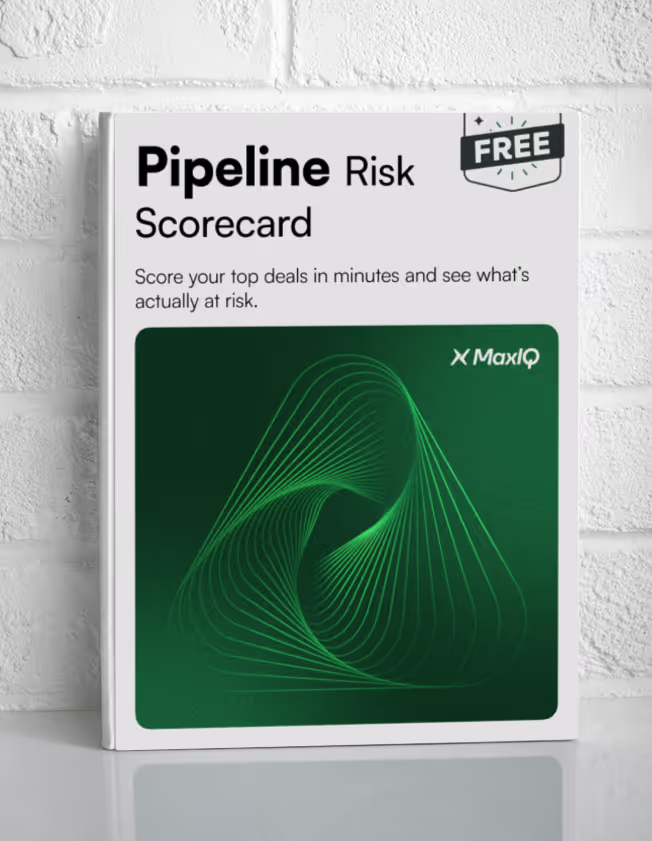
How to score deal health and forecast risk
The seven warning signs become more useful when everyone reviews them in the same way. A simple score can help managers compare deals and decide where to spend time during a pipeline review.
For each signal, assign:
- 0 — No current concern: The deal has clear evidence and no obvious gap.
- 1 — Needs attention: Some information is missing or the situation has started to change.
- 2 — Clear risk: There is a significant gap that could delay or stop the deal.
Add the seven scores together. The highest possible score is 14.
0–3: Healthy
The deal has clear next steps, active buyer engagement and a buying process that both sides understand.
Keep the plan moving and confirm upcoming milestones. A low score does not mean the deal can be ignored. It means there is enough evidence to support its current stage and forecast category.
4–7: Needs attention
The deal is still workable, but one or more gaps need attention.
The manager and rep should agree on what needs to change before the next review. That could mean reaching another stakeholder, confirming the decision process, replacing a vague next step or updating the mutual action plan.
Do not leave the review with a general instruction such as “keep following up.” Choose a specific action, owner and date.
8–14: Forecast at risk
Several parts of the deal no longer support the story recorded in the CRM.
At this point, the team should reconsider the close date and forecast category. The deal may need executive support, stronger qualification or a direct conversation with the buyer about whether the project is still a priority.
Sometimes the right decision is to remove the deal from commit or move it into a later period. That gives the forecast a more honest foundation and allows the rep to focus on opportunities that are still moving.
The score is not a prediction, and it should not replace a manager’s judgment. Its purpose is to make gaps easier to discuss.
If a deal scores six because the decision process is unclear, the champion is the only active contact and procurement has not started, the useful part is not the number six. It is knowing exactly what the team needs to address next.
Use the score consistently, but keep the conversation focused on the evidence behind it.
How to improve sales pipeline visibility
Better visibility does not come from adding more CRM fields. It comes from making the evidence behind each deal easier to see, compare and act on.
1. Define stages around buyer actions: Each stage should reflect something the buyer has completed, not just an action taken by the seller. Sending a proposal does not automatically mean a deal is in negotiation.
2. Capture buyer activity automatically: Calls, emails, meetings, stakeholder changes and agreed next steps should update the deal without relying on reps to enter every detail manually.
3. Track movement, not just pipeline value: Watch time in stage, repeated close-date changes, meeting gaps and declining engagement. A large deal that is not progressing should not look healthy simply because it remains in the pipeline.
4. Require buyer-owned next steps: “Follow up next week” does not prove momentum. A useful next step identifies the buyer action, owner and deadline.
5. Map the buying process early: Security, legal, procurement, finance and the economic buyer should not appear as surprises near the end of the deal.
6. Review missing evidence: Pipeline reviews should focus on what is still unknown, not only what has already been entered into the CRM.
7. Turn risk signals into actions: Every warning should lead to a clear response, such as involving more stakeholders, rebuilding the mutual action plan, confirming the decision process or changing the forecast category.
Teams can apply these practices without buying new software. The challenge is keeping them consistent when calls, emails, meetings and CRM updates sit in different places. This is where AI can help by bringing those signals together and highlighting changes that deserve attention.
AI sales pipeline visibility: what to automate and what to keep human
AI can help identify at-risk deals by comparing CRM data with recent calls, emails and meetings. It can spot changes that are easy to miss when managers review a large pipeline manually.
What AI can help with
- Spot changes in deal activity: Flag repeated close-date moves, long periods in one stage and declining buyer engagement.
- Find missing information: Show when an economic buyer, procurement step, mutual action plan or buyer-owned next step is missing.
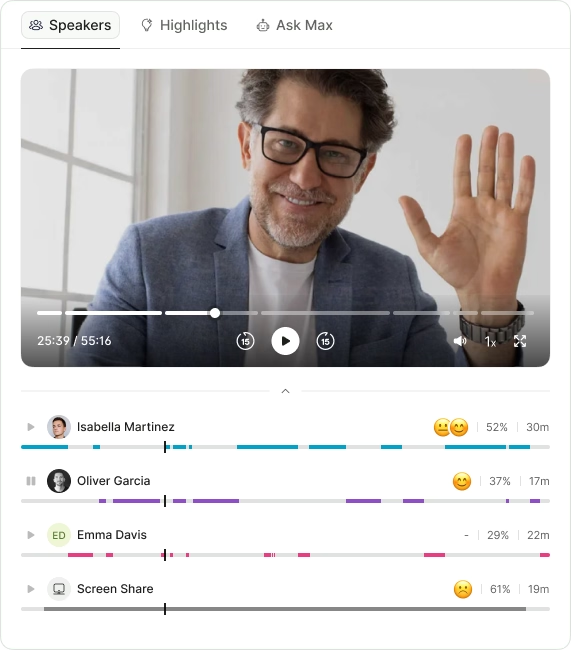
- Review calls and meetings: Pull out stakeholder concerns, objections, commitments and agreed actions.
- Capture activity: Bring email, calendar and meeting data into the deal record without requiring constant manual updates.
- Prepare managers for reviews: Suggest questions based on the gaps found in each deal.
What should remain human
- Forecast decisions: Managers should decide whether a deal belongs in commit, best case or pipeline.
- Relationship judgment: Internal politics, trust and stakeholder influence are difficult to understand from activity data alone.
- Coaching: A useful coaching conversation depends on the rep, the buyer and what has happened in the deal.
- Strategic decisions: People must decide when to escalate, change the approach or stop pursuing an opportunity.
AI works best as an early-warning system. It can show managers where to look and what may have changed. The final decision still belongs to the people who understand the deal.
How to choose sales pipeline visibility software
The right tool should help managers understand why a deal is at risk, not simply add another dashboard to review.
When comparing sales pipeline visibility tools, look for:
- Evidence behind each risk: A warning should show what triggered it, such as a delayed meeting, falling engagement, a missing stakeholder or repeated close-date changes.
- Automatic activity capture: The tool should bring together relevant CRM, email, calendar and call activity without creating more work for reps.
- Clear deal history: Managers should be able to see how the deal has changed over time, including stage movement, forecast updates and buyer engagement.
- Useful next actions: “Deal at risk” is not enough. The tool should help the manager decide what to ask and what the rep should do next.
- A rep-friendly experience: If updating and reviewing deals takes too much effort, adoption will fall and the data will become unreliable.
- Easy integration: Check how well the platform works with your existing CRM, email, calendar and meeting tools.
- A short implementation period: The team should be able to see useful deal signals within days or weeks, not after a long setup project.
During a trial, use real opportunities rather than demo data. Check whether the platform identifies risks your managers already know about and whether it finds anything they missed.
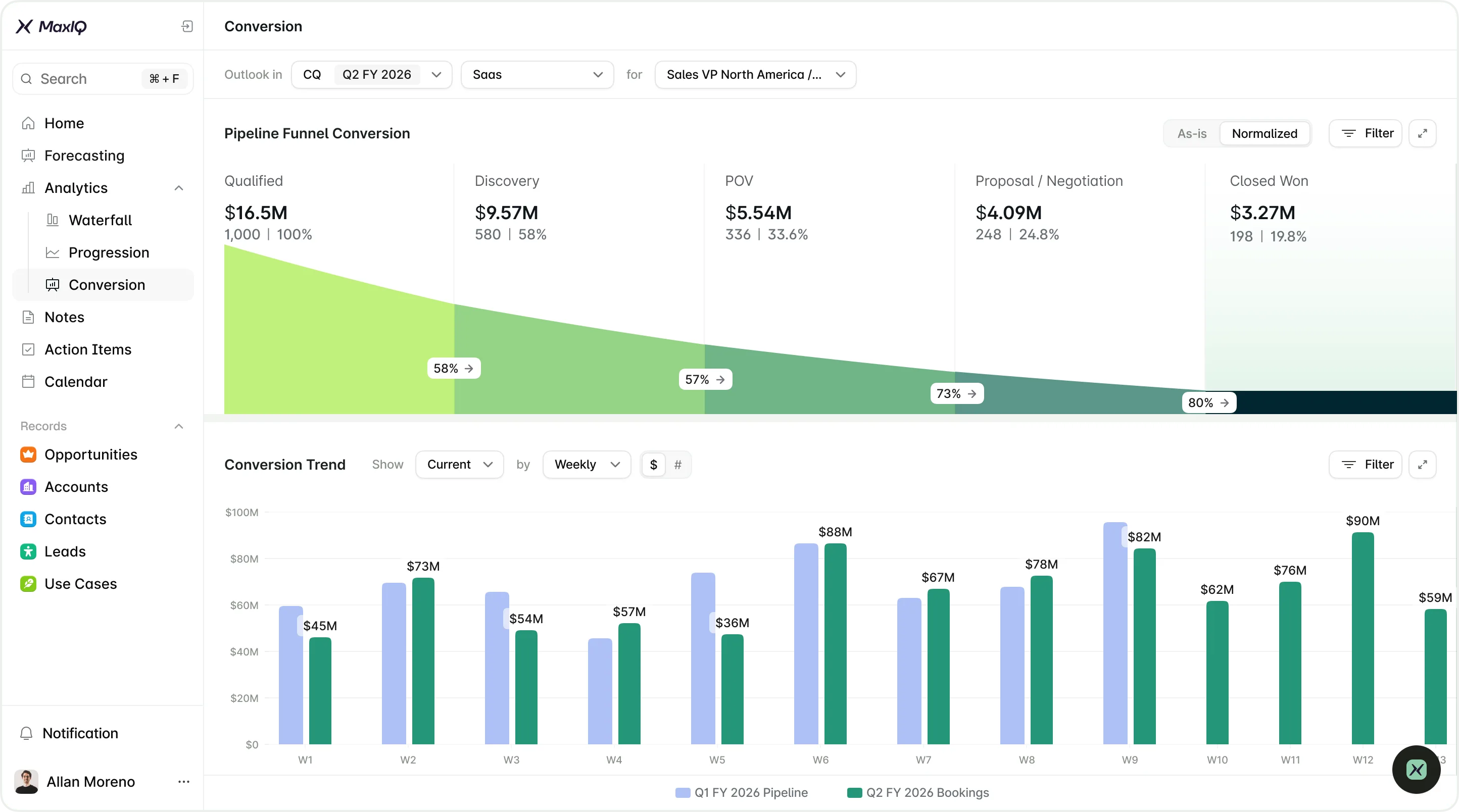
MaxIQ is a revenue intelligence platform that brings CRM data, calls, emails, meetings and forecast activity into one view. It helps teams see which deals are moving, which are losing momentum and what information is still missing.
Eligible startups can use MaxIQ free for 12 months, while enterprise teams can evaluate it through a 30-day trial.
{{free-resources}}
Every capability walked through one by one, with screenshots from real calls.
- Risk Signals
- Clear Status
- Smart Scoring
- Ready to Use
- Risk Signals
- Clear Status
- Smart Scoring
- Ready to Use
.avif)